.svg)

Explore live demos, WMS feature walkthroughs, optimization strategies, success stories, and expert tips to optimize your eCommerce and 3PL warehouse operations.
.webp)
Knowing your product dimensions is key to accurate shipping costs. That’s why ShipHero’s WMS has multiple ways to record these figures. You can do it during the receiving process or after the fact when you might have more time to stop, measure and weigh. Our Associate Product Manager, Val walks you through the process and explains why this info can reap more benefits with new ShipHero features that are on the horizon!
.svg)
Are your peak season jitters starting to set in? Never fear - here at PalletSide Chat, we have your back! Today we're chatting about the "wild west" that is peak season, and practical things you can do now to set yourself up for success as the orders start streaming in.
At the end of this episode, Alex shares the "peak-est" peak season moment he's experienced so far...and it's worth the wait. We'll also chat through:
- Prep work that sets the table for peak season success
- Why success during peak starts in January
- Hiring and motivating your warehouse team
- Delivering great customer experiences
Dan Van Meer (00:04): All right. Hello. Welcome to episode two of Palletside Chat. I'm Dan, and I'm joined today again by my co-host Alex from ONE23 Fulfillment and Black Wolf Nation. We're pumped to be back here. Our streak is now at two episodes. We're excited to continue extending that onward and onward. If this is your first time joining us, I just want to encourage you to take a few minutes and check out episode one. There's a lot of good info on kind of the background and journey that led to this podcast starting. We're super pumped to be doing this, and over the next couple weeks and months, we're really excited to have some guests on to share their experiences as well. But I just want to clarify that we're tapping in to Alex, who is the co-host as a guest for these first few episodes because he’s got a ton of great experience. (00:50): Like we talked about in episode one, he's built an awesome brand, which is growing fast, and he's also built an amazing high touch 3PL facility that's growing really fast as well. And so I want to make sure that we kind of extract a lot of his learnings and share those with you today and over the next couple weeks as well. So in terms of today's episode, we're excited to be talking about what it takes to prep a 3PL for peak season. There's tons of great content and conversations out there about what it looks like for brands to get ready for peak season, but not much about 3PL. (01:20): So we want to touch on that today for sure. Life of a 3PL during peak is kind of like doing a speed run on your favorite video game in hard mode. There's a ton of stuff going on. There's really no room for error. And I know that Alex is navigating peak really well. And I mean, we're kind of in the thick of it right now realistically, but I'm sure you also have some lessons learned, some horror stories that might come out as we unpack things today. So we're heading into peak this year with surcharges that are earlier. They're running longer. (01:53): We're in an environment that makes hiring difficult, we're in an economy that there's sense of uncertainty. Nobody really knows what peak's going to look like. We don't know what consumer spending habits are going to look like. And so there's a lot of things that we can't control. So today what we really want to do is focus on the things that we can control. So we're going to take a few minutes. We're going to talk about what it takes to prep your 3PL from an operation standpoint for peak, prep your team for peak, run a great operation, run a great team during peak. And then we're also going to save a bit of time to talk about managing those escalations and angry customers that are going to, they're going to come at you. Realistically, the odds of running a smooth pain-free peak season for an operation that's at scale is pretty low. So we're going to talk about the real stuff today for sure. Sorry Alex, I kind of rambled there, but pumped that you're here. Looking forward to tapping into your experience today. Alex Lewkowict (02:45): You're good Dan. I actually have a question for you. So as someone who's not in the warehouse, can you feel peak in the air like we can? Dan Van Meer (02:56): For sure, yeah, yeah. Alex Lewkowict (02:57): It's this looming force that's hanging over the warehouse. We can feel it. Dan Van Meer (03:02): Yeah. No, we at ShipHero, we're feeling that for sure. It's interesting, right? There's a lot of prep from a product perspective, from a staffing perspective, and looming is the right word. I think the other thing that's interesting is we really, I don't think fully appreciate the fact that we're kind of in it now. I know that the spending hasn't happened yet. The purchases and the volumes haven't picked up yet, but I feel like we're in peak. So it's a thing. Alex Lewkowict (03:30): Yeah. So- Dan Van Meer (03:31): That's awesome. Alex Lewkowict (03:32): I think it'd be helpful to give kind of a rundown of what does peak mean? Everyone says peak, peak, peak. What is peak? It's the Super Bowl of logistics. Why? Because think about it this way, the entire year, the whole ... We're in a business of seconds. So we invest huge amounts of money to save a couple of seconds per package because the volume's so high. A second per package across 10 warehouses across hundreds of thousands of packages a week makes massive financial differences. So talk about things like label printers that peel the backing off so that you save that second, having tape machines that cut the tape for you at the right size. Those few things we spend the whole year optimizing, but then peak happens and essentially the reason peak happens is holiday shopping. Christmas has become a commercial holiday. Everyone gives gifts, everyone does their biggest sale of the year. (04:42): And traditionally, it started on Black Friday with retail because that's when retailers would go into the black, they had all that inventory, all that square footage they were paying for the whole year, and they just do so much sales after Thanksgiving ahead of the holidays that they would pass their break even point. So that's Black Friday. But for e-commerce, when you're talking a game of seconds, how do you handle three, four times order volume overnight for hundreds and hundreds of brands that we ship for? So it's almost an impossible challenge because you can't suddenly triple the amount of packing stations you have, add 50 tow carts to your warehouse, train and hire staff. (05:35): If you just do that all overnight, that doesn't work. You need to train them. So then you need to hire them in advance. And now you need to make sure that you don't lose so much money up front that you never make it back during peak and peak's exciting and terrifying for brands and 3PLs because it's an unknown. You have no idea how the sales are going to go, how much volume's going to happen. So you're at your baseline all year, you're optimized, right before peak, everyone stops shopping because they're going to wait for their deals. So now you have warehouse staff sitting around with no orders to fill because the volume's dropped in half. That's precisely at the same time when you need to hire more staff to be able to handle the volume that's about to happen in the following month. So that's just an overview of the challenges, that operational challenges around peak. Dan Van Meer (06:29): Sure. So let's unpack that a bit. I think looking at one of the primary differences between running and a brand versus a 3PL when it comes to peak and product specifically, is the fact that when you're prepping your brand for 3PL, or when you're prepping your brand for peak, sorry, you're kind of in the driver's seat. You can be ordering inventory, you have control over some of those leaders, levers, obviously when you're running a 3PL, you're reliant on your customers making sure that their inventory is there in time. So how do you manage that process? What does that look like? When do you get started? How do you make sure that you're not in a situation where you actually can't support your end customers from an inventory perspective? Alex Lewkowict (07:09): So it starts well before peak. You have to have really tight communication with your clients as a 3PL. From day one with ONE23 Fulfillment being a brand owner, we set out to really give our customers that feeling like they have an in-house operation without the frustrations of people no call, no showing. So we have been talking to our brands for over a month now, even more, about understanding new products launching, when their holiday shipments are arriving, really explaining to them the benefits of getting their inventory into us earlier from an operational perspective, because every brand has their own philosophy. (07:56): Some brands that are more established, they'll order up inventory many, many months in advance. Other brands that are smaller or just didn't raise funding and are cash flow dependent, they have a really fast inventory turn. And if you're trying to do just in time inventory on Black Friday and you send a truckload of inventory and you already have back orders, very, very tough for a 3PL without prior coordination. So we talk and we will continue to be talking weekly to all of our brands about what's upcoming. Dan Van Meer (08:30): Right. So I guess for context, we're recording this podcast today in the last week of October. So you're talking about comms really starting September or earlier in terms of having those conversations. Alex Lewkowict (08:42): Yeah. And people who get their stuff from overseas, they had to put those orders in over the summer, beginning of the summer. So we really emphasize to customers, please do not have goods arriving after mid November. It's just setting everything up for failure. Dan Van Meer (09:00): Sure. I guess there's an interesting call out there just in terms of the maturity of the different brands that you're dealing with. Obviously brands that have done peak before are familiar with these timelines and have experienced what it looks like to be prepared whereas I'm sure you have some brands that it may be their first time doing peak and need a bit of coaching in terms of preparation around this. Alex Lewkowict (09:20): For sure. Dan Van Meer (09:21): So I guess from an inventory perspective, the next question I have is just in terms of managing physical space. And I know you have an interesting story about that piece because obviously you're running a warehouse all year and you have inventory and there's a lot more inventory when peak happens. How do you plan for that? Can you plan for that? How have you handled that situation in the past where you have had a lot of inventory come in? I'm smiling because I've heard the answer to this, but I think it's worth sharing. Alex Lewkowict (09:47): I have learned the lesson the hard way, short answer. Really tough. I'll give the quick story. I feel like people might enjoy it. But let me set the stage. Peak season last year, not our first peak as a brand Black Wolf, but first peak season as a 3PL. So it's not just our volume. At that time, we had right around 60 brands that we were shipping for substantial brands. We were at 120% capacity when September rolled around completely busting out of the seams. We were still a new company so we couldn't just up and leave. This was at the time when warehousing space had a vacancy rate of 1%, which is virtually nowhere to move. We tried. Zero space. So that's one thing. We're also at the time where supply chain issues and congestion at the port, were still delaying goods. So on a good year, there's a huge influx of inventory ahead of peak. (11:04): But now as they started to clear the backlog in LA, we were just getting an onslaught of containers. I mean, like two, three, four floor loaded containers a day in our warehouse in California. That's literally 12,000 square feet. So what do we do? Stuff started coming and coming and it just never stopped. So we tried to look for another space, couldn't find it. I ended up renting 11 40 foot shipping containers to be brought in and we started storing stuff in the parking lot. And then those filled up and then we started filling the aisles between our racking and every day the guys had to take every pallet outside to the parking lot, work for the day and put it back. (11:58): But then we had so much stuff, they were there till one, two in the morning putting stuff back every day and it hit a breaking point. So I ended up hiring a full-time security company to camp outside our warehouse full time to watch inventory. We had just under 300 pallets in the parking lot, not in the containers. It was unbelievable. Peak week rolls around just before the, couple of days before Thanksgiving. Who decides to show up? Fire Inspector. Surprise annual fire inspection, great timing. He pulled in the front of the building. So he looks, he's looking at the fire extinguishers and I'm like, "Geez, geez, geez." I was sweating. Goes into the warehouse and he's like, "Okay, it looks fine." Goes into the back. He's like, "You guys have a lot of combustible materials along the building in the back." I'm like, "That's one way to call it." (13:10): And as I'm talking to him and he's writing notes, our USPS driver pulls up and he cuts out of his van and he goes to the fire inspector and he says, "Hey, while you're here, they've also been using our USPS rolling bins for FedEx." I'm like, "Really? Is this really happening right now?" And that's when I knew peak was here. But I got to commend OC Fire Inspector, this guy Victor, super nice guy. He said, "Hey, you know what? In Orange County we are business friendly. You seem like a nice smart guy who just got a little in over your head. I'm not going to write you up. I'm not going to shut you down. When can this be cleaned up?" I said, "Honestly, I need till after peak, come back like December 22nd and we'll be good." And he did. And we got it cleaned up because one cool part about peak is you get so much inventory and then so much leaves at the same time. It's this massive wave of goods coming in and going out. So we got it cleaned up. Dan Van Meer (14:26): Sure. I feel like that's like the peakest peak season story I've heard so far. The combination of outside storage plus fire inspector and then the USPS guy piling on was just a cherry on top. Alex Lewkowict (14:40): Believe it or not, there's another element to the story that got- Dan Van Meer (14:42): Come on. Alex Lewkowict (14:43): ... even worse. But I will not ... We'll save that for another time. Dan Van Meer (14:48): We'll do a follow up on peak season horror stories. That sounds good. That sounds- Alex Lewkowict (14:53): It ended with me crying, so people might find that interesting. It was really bad. Dan Van Meer (14:57): Now I'm really intrigued. I haven't heard this story yet, so I'm curious now for sure. What's that looking like for you guys this year? Are you anticipating having to use shipping containers in the parking lot again to manage physical space or? Alex Lewkowict (15:11): No. So we got ahead of it this year. We're good on space. And one thing that we've done this year that we did not do last year is setting the stage early for the shifts that you need to run peak year round. So anybody who ships, whether you're a brand or in the 3PL business, Mondays are brutal. Every brand knows this because you have Friday afternoon and night, Saturday, Sunday, and Monday morning orders to get out in one day. What we saw is that our cost metrics for getting packages out was actually off because we were staffed up to be able to ship out on Monday and then Tuesday maybe a little more. And Wednesday, Thursday, Friday we're kind of lighter and slower. So we switched over to be a seven day a week operation in April and we're going to maintain that forever. It's allowed us pretty much every day of the week is almost identical for us. (16:14): So we can plan staffing better. And what it did is we've found those managers and trusted employees that a Saturday Sunday shift works for them or an evening shift works for them so that when we get into peak, we can make an announcement to our team, "Hey, anyone got family members who want to earn some extra money after their nine to five during peak." We already have the groundwork for an evening shift and for a weekend shift. So that was our plan this year is have trusted employees who know what they're doing and then infill some of the easier to train tasks into those shifts for peak so that we're not trying to spin up a weekend shift with either new hires or burning out our employees by having them work consistent overtime for a month. So that's the main thing that we've changed this year with staffing. Dan Van Meer (17:08): And what does it look like to keep your team motivated during peak time? You talked about avoiding burnout and there's obviously a scheduling element to it, but I imagine that the pressure's on your team, even just within the confines of the regular shift, it's way more intense than a shift in May or whatever. Alex Lewkowict (17:29): Funny. But whether you have 300 orders in a queue or 5,000, they seem to all get out with the same amount of staff in the same amount of time. So what I've come to see as we've filtered through employees and really have built an amazing team, they're excited for peak. They know how to turn on the tap and get those orders out and year round we run a fun environment. There's music in the warehouse, we're family friendly, so if employees have to take care of their kids or kids' school calls or whatever, we're very accommodating. So we've built that loyalty with our team and we've been talking about peak, we talk about peak all year round. Everybody who works for us knows what's coming. We've banned. We've put a blackout on days off and vacation time or calling out during that month of December. Dan Van Meer (18:25): Right. Alex Lewkowict (18:25): We're right. Dan Van Meer (18:26): No, that's awesome. I think one thing I just want to kind of call out and reiterate that I just heard there was that obviously success in peak has a lot to do with the people that are working on the floor and shipping orders. And what I'm reading between the lines is that the caliber of person that you hire and the environment you create before peak has way more to do with your success during peak than your ability to find temp labor or whatever because as best as possible, especially during the year, you don't rely on temp labor for your warehouse. Your staff are typically full time. Alex Lewkowict (19:02): I've never had a one temp employee. It's all full time. Dan Van Meer (19:08): Which is unheard of, right? In the space for the most part. I know there's a huge reliance on temp labor, which brings its own challenges for sure. Alex Lewkowict (19:16): The way that we do it is we cross train. So we used to be known for our kitting capabilities. Now it's moved to more personalization on demand, which we can talk about another time. But most of the people on our prep team, which is what we call, they do big bulk ships, assemblies, pre-kitting, FBA, they're cross trained to pick and pack. So for kitting projects, we schedule those, we have urgent projects, then we have longer lead time projects and we'll make the schedule such that we can have those people on call to come and pick and pack orders if we're behind. And then instead of just using a temp agency for that, they just go back to our prep area. It's like almost a second operation run independently that we can pull from. Dan Van Meer (20:09): That's great. That's awesome. And I guess, so when you're in the thick of peak from an operations standpoint, are there unique challenges? We've talked a lot about inventory and physical space already. Are there any other operational challenges that are different in the peak window versus the rest of the year? Alex Lewkowict (20:27): Yes. Carrier capacity. Always be nice to your carriers. Really try and get to know the local route managers because you might be used to a truck pulling up more than half empty to do your pickup during peak. They'll pull up full and they'll be staring at 11 pallets of stuff. And so we can't take that. So you have to know who to call to make and also contact them now in advance and say, "Hey, here's going to be our volume. Should we switch to a drop trailer? Should we do a sweep? Should we do a late night pull?" Just come up with the right strategy for that. Make sure you have enough equipment. If you use DHL, make sure you're stocking up on gaylords and pallets and tape and all those things that ... You don't want to be in peak and run out of shipping labels and be cut off. It has happened to us before. Dan Van Meer (21:23): Sure. Yeah, it's a bad time for sure. Yeah, that's awesome. That's great. I mean, we talked about operations, talked about inventory, talked about managing team. Anything else that you would say is kind of part of your peak playbook? Alex Lewkowict (21:39): Yeah, we got to talk about customer service. So with customer service, I see it a very specific way. Your customers need fast answers. Your warehouse cannot always provide them those fast answers because they have a ton of priorities. During peak, they're being hit with 10,000 orders. When you're hit with 10,000 orders, the warehouse's focus is how fast and accurately can we ship those 10,000 orders. What the brand's customer service team and our customer service team in the warehouse focus is, why is this one order stuck in tote or this two, these two orders stuck in pre-ship or this special VIP package needs to go out because a celebrity's 100% going to post about it and it's going to blow up the brand. So I've found when you have a structure of customer service that's client facing that then just relays a task onto the warehouse, that really doesn't work. (22:44): So what we've done this year is we have people in the warehouse on the ops team whose only job is to focus on those couple of orders or that one inventory check or that last minute receiving that comes in from customer service completely independent of our normal operation. So you have two operations going during peak. One crew is working on getting the thousands of orders out, the other crew is making sure clients get fast answers and those few problem orders or those few last minute inbounds are taken care of. I think that's a recipe for success. Dan Van Meer (23:25): For sure. For sure. And so how do you manage those troubled totes? What's the process for that in your warehouse? Alex Lewkowict (23:34): So it depends on what the problem is. We obviously run our warehouse on ShipHero's WMS. So what we'll do is any order that has an issue, we'll use the command to send to hospital. We have a cart that's empty with, I got little hospital flags on Amazon. They'll put those totes in there and then we can see on our hero board how many orders are in hospital. And once the cart's full we swap it out with an empty hospital cart and one of the supervisors or the lead packers goes through the totes. Common problems are miss picks, bad addresses, the order's been canceled after it was picked. Usually that or yeah, usually that or some issue with the carrier method. And then sure if it's a just pick, we'll just fix it. If there's an issue with the address or the shipping method that was chosen, we'll leave it in the hospital and reach out to relay that to customer service to get info from the client. Dan Van Meer (24:41): Sure. Yeah, I mean what I love about that is that one of the keys to running a great operation is to eliminate decision making for your pickers and your packers try to make things easy so that they're executing as opposing to stopping thinking, dealing with problems. That's what makes them pick fast. We talked earlier about nailing your process because even just shaving seconds here and there makes a huge difference. So I love the idea that when problems are identified, it gets out of the workflow quickly and that you have somebody who takes care of solving that problem. Because you're right, it's a handful of exceptions that are going to cause problems. That's what your customers are going to ask about, but it doesn't derail kind of the efficiency of all the stuff that can flow smoothly. So that's amazing. I love that. Alex Lewkowict (25:24): Yeah, because imagine you tell your warehouse manager, "Hey, can you look at this order?" And they take their eye off the ball and all of a sudden we're 200 orders off pace and you're getting 5,000, 10,000 new orders a day. How are you going to catch up? You're already double triple capacity, you'll never catch up. You can't fall behind during peak. Dan Van Meer (25:46): For sure, for sure. So I mean, realistically there's going to be exceptions, there's going to be challenges. What would you say your advice would be to a 3PL operator going through peak for the first time when it comes to, you can't solve every problem quickly, like you said, but how do you manage customer relationships well? What are the keys to trying to keep things healthy under the tension of peak? Alex Lewkowict (26:12): I don't know how eloquently I can say it, but you're the 3PL, you're supposed to be the logistics expert. Brands, is their biggest time of the year. They can make a ton of money or be really disappointed and start to have to look at sizing down their team or be stuck with inventory and have financing issues. It's a very tense time. The brands customers are going to be harassing their customer service. You have to recognize that in advance. You're going to have angry customers who say their package was never delivered. They're going to tell the brand, the brand's going to tell our customer service. It's going to happen. It's inevitable. The brands hired us for a reason. It's because we are the logistics expert. Mistakes that we made last peak, I can credit to trying to appease clients but really doing a disservice. And we take ownership of that because we didn't say, "Hey, you know what, that's not going to work." (27:07): There's no way we can do a kit project of 10,000 units with 30 items per kit, if your product's only arriving November 20th. That's just not going to happen, because we have our a hundred other brands that we have to take care of and all of our prep team is working on pick and pack. Then the brand might say, "Okay, you know what, let me do something else or let's just pick and pack. It might be a little more expensive." Or tell the brand, "Hey, I can try and bring in even more staff but it's going to be a little more expensive." Just work with your brand. Don't agree to stuff that you know can't do or that will put your overall operation in jeopardy. (27:45): Because the 3PL business, it can be a vicious cycle. You miss the SLA one day. Now your customer service team is bombarded, they're bombarding your ops team. Now, your ops team's working on getting specific orders out. Just keep your eye on the ball, check your own queue, make sure every order that should have shipped is shipped. Make sure no orders are being stuck or put at the bottom of the queue for some reason and just focus on getting the mass of orders out and have somebody dedicated to just focus on the couple that have issues. That's the best advice I can give. Dan Van Meer (28:24): No, that's great. That's awesome. That's cool, man. Well, I think there's a lot of good stuff in here today that we talked about. So I want to run it back and just make sure that if we're distilling kind of our last 20 minute conversation down into actionable tips, I want to make sure I got it right. So I'm going to read them off to you, but let me know if I missed anything. Alex Lewkowict (28:42): Sure. Dan Van Meer (28:42): So I mean, here's what I'm hearing that the peak season playbook for 3PLs are. First, nail your processes early, the stuff you do between January and September in terms of making sure you're efficient and working as quickly as possible. It's hugely important. You're not going to be able to work on that stuff during peak. So get it in place and get it in place early. Communicate early with your brands, make sure that product is available. You have the inventory up front and that they understand the importance of that. (29:11): And again, people that have done peak in the past, your brands that have been around for a while get that. But you probably have brands in your portfolio that are new to this and you got to coach them through that. Building a great team is another one of those things that you need to do before peak. I think we could probably do a whole episode on what it looks like to manage teams well because I know you've done a great job with that. So I'll write that down. That'll be something we come back to for sure. And having access to a strong bench of people you can call in to help you get into the hole that peak creates. I love the tip about being nice to your carriers. We underestimate, I think, the importance of good relationships with our vendors and partners. (29:48): And obviously, some of those scenarios we talked about today could be pretty disastrous if you are on unhealthy terms with the people in your carrier world. And then finally, I think the other really important point is just from a process perspective, separating the orders that can be picked, packed, shipped quickly and easily, getting them out the door and when there's an issue as quickly as possible, getting that out of your kind of regular pick pack process and having dedicated people to troubleshooting those things because you not only is that an end customer who won't be happy if their order is delayed, but those are the things that brands are going to be calling you about. (30:27): And when brands are calling you to troubleshoot things, that's taking your team out of the loop and spending cycles with them on solving problems, which means that other orders aren't going it quickly. So pretty actionable stuff there. I love that. And I think the beauty of a 3PL business is that it's complex in some ways, but also there's a simplicity to it, if you're able to execute. I think complexity comes out of dysfunction, bad processes, team that's not working well, issues with communication. And so it kind of sounds like the recipe, ultimately the playbook is lead a great team, build great relationships with customers and vendors and execute well. That's kind of maybe the even shorter version of running a great peak. Is that fair? Alex Lewkowict (31:17): My number one advice, whenever anyone asks me about warehousing or starting a brand, just be a good person. Everything is in the nuance. Operational excellence is achieved by really giving a shit about your customers and about getting orders out on time. If you have high standards, you will deliver no matter what. And I think if I had to give a toast to peak, I would say cheers to pre-kitting, cheers to bulk shipping and cheers to Red Bull because you're going to need a lot of it. Dan Van Meer (31:52): That's awesome there. There's no better closing that I could put together myself. So I'm going to pretty much stop talking now. Thank you Alex, for your time. Thank you for your insights and thank you to all our listeners for joining in today. We'd love your feedback. We'd love to hear from you about topics that you'd like us to cover. So check out our content, our contact details will be in the show notes, so feel free to reach out to Alex or I and we'll look forward to chatting with you soon. Have a good day.
Have you heard the latest? ShipHero’s Warehouse Management Software has enhanced its cycle count feature. You can now set counts by your schedule, assign users, flag for recounts and choose to count by location or SKU - whatever works best for your brand! We’re so excited to offer this enhanced functionality and give our clients the flexibility and control they need to keep their inventory counts accurate and up-to-date.
Ever wonder what life would be like if you were the co-founder of a men's skincare DTC brand, as well as a high-touch 3PL? That may be oddly specific, but in the inaugural episode of PalletSide Chat we're unpacking that journey with Alex Lewkowict, who has done both as Co-Founder of Black Wolf Nation and One23 Fulfillment.
Alex shares about:
- Launching, failing, and re-launching his first product line
- Expanding his revenue streams by launching a 3PL
- Leveraging customer feedback as a growth accelerator
PalletSide Chat, brought to you by ShipHero, is your source for the real goods on what it takes to launch, grow, and scale D2C brands and 3PL operations. Whether you're a first-time founder or a grizzled veteran with multiple exits under your belt, we'll unpack the stories, lessons and mistakes that are a part of the journey.
Your co-hosts are Alex Lewkowict (Co-Founder of Black Wolf Nation and COO of One23 Fulfillment) and Dan Van Meer (VP of Marketing at ShipHero).
Dan Van Meer: Hello and welcome. This is day one of our new Pallet Side Chat podcast, vlog, video podcast. Not sure what we're calling it, but I'm Dan from ShipHero. This is Alex. We're hanging out today at the home of 123 Fulfillment and Black Wolf Nation. We're super pumped to spend a bit of time chatting. This is an idea that we came up with. We're excited to be connected with Alex. He's been a ShipHero customer since 2019, which is awesome. Using it for his brand as well as his 3PL. He's got a ton of great knowledge to share, so we thought, "What better way to do that than just spend a bit of time hanging out and chatting?" Looking forward to learning more about your journey and what got you here. We're pretty informal guys, which you'll come to realize, so our goal with this really is to be real. We know that I think, everybody that runs a brand or a 3PL faces pretty similar challenges across the board. And Alex, like I said, has a ton of good info to share. So Alex, why don't you just tell us a bit about your background? And then, maybe we can unpack your journey so far for the first couple of minutes today. Alex Lewkowict: Sure. Really excited to be starting this. Logistics has a lot of big buzzwords that people don't really know or think that they know. Like, pick and pack, receiving, and special projects, but what that all means, how it affects the challenges that D2C brands are facing today, that's what we're going to be unpacking in this podcast. I'm going to share a little bit about my story, the story of Black Wolf, and how it turned into a 3PL called 123 Fulfillment. And in other episodes, we'll be bringing in other ShipHero customers and D2C brand owners and really unpacking and figuring out the logistical challenges that they're having and the solutions that they've found through us or other means. Dan Van Meer: That's awesome, man. Well, let's maybe start with just the journey behind Black Wolf. I guess that's how you got into things. So tell us a bit about that. What does that look like? Where'd you guys start, and where are you at today? Alex Lewkowict: Sure. Right now, I'm 25, but the journey of Black Wolf goes back many years. Everything that I've done in business has been 50/50 partners with my brother, Sam. And back in high school, we were the guys always selling things. We were doing drop shipping without even knowing that it was drop shipping before it became popular, buying things in China and selling them in school. I used to resell Webkinz on eBay. Any business you can. The first of, we were doing until we came up to the time when we were ready to start Black Wolf. Now, Black Wolf was the first business that we were going to do legit. We were going to register the company; we were going to get a logo made and really make a special, unique product. That was the idea when we were really, really young, just graduating high school. Little did we know how challenging it would be, and the journey of executing on our vision to get into men's skincare with our own brand was really a huge learning experience for us. And pretty much anything that could go wrong did go wrong, but we learned a lot, and it's actually a really cool story. Dan Van Meer: That's awesome. Let's dig into that for a second, but before you do, what was your first drop ship product? Alex Lewkowict: We sold baseball hats and hockey jerseys in school. We were at the age where to buy online, you needed a credit card, and none of our friends had credit cards. We grew up in a strict house, but one thing we were allowed was to have our own credit card, and we had been saving since I was like nine years old, always working. So we would buy jerseys on our credit card and then resell it to our friends for cash for obviously a lot more. Dan Van Meer: That's awesome. That's cool. Yeah, so let's go to the early days of Black Wolf. What did that look like? Were you running it out of a garage, basement? Alex Lewkowict: Yeah, so we became known as obviously the guys selling things, and in Montreal, Canada, where we grew up, there was a guy selling a razor bump cream. It was for men, for women. The branding was really not very nice, and it didn't smell good, but the product really worked. And I've always struggled with razor bumps. Every time I shaved my neck, I always got red dots, and it burned. And it was a huge pain point, so this guy knew we were selling things and approached us to see if we could sell it to some of the cool barber shops. He was really more in aesthetician offices and laser places or whatever. So we took the product on, we tried to sell it to some of the cool barber shops in Montreal, and nobody wanted it. So we thought, "Okay, maybe let's expand outside of Montreal." And we started cold calling barber shops in the US. Again, no one wanted it, so just instinctually, we knew that there was a huge opportunity in this because it solved a real problem, and that's the foundation for any successful product or business idea. So we came back to him with this idea of, "Okay, let's make this focused on men, focused on razor bumps in really cool, sleek, black packaging and see what the response is like." So we got a friend who was a graphic designer to throw together a little brand deck concept, and we went to this guy who had the product, and he did not want it. He was not interested. I think in the meeting, Sam remembers the exact thing he said, but he's like, "This is like somebody coming to Coke and suggesting to rebrand because they can't sell the Coke bottle to a store." He's not Coke, but same idea. We decided to just do it on our own. Easier said than done, but at that moment we said, "This is not the future. There's a huge opportunity here, and he doesn't see it, so let's just make it ourselves." Dan Van Meer: So, wants you to start. Alex Lewkowict: Yes. The first step was, "How do we make an even better product for razor bumps?" So we hired a formulator, and we made a new version of this razor bump solution. That was our first product called Bump Cream. It went from a tonic to a cream, it smelt great, and it was in really nice packaging. Launched it and didn't sell any. We had washed cars an entire summer, bought a website, put it up there, got the production run done, this whole thing, and literally sold nothing. We didn't realize that you have to actually market a product to sell it, funny enough, but you really don't know. Especially back then. We were not exposed to any other founders. We were young; we'd never taken any business class. So we really had no idea that you actually had to drive traffic to a website. So we took a step back and reevaluated, started looking at some other brands on the market, and said, "Okay, maybe we need to be more than just a single SKU product. We've got to be a complete solution. Something like Proactiv, but for razor bumps." So we developed two new products. We had a face wash, a moisturizer, and this bump cream. It was going to be a three-step process to help reduce razor bumps. Again, we launched it, and really didn't sell a lot because we looked at other competitors at the time, Harry's; they were in shaving, and it was kind of different. But we looked at how beautiful their website and their offering was and their copy. We thought if we could get to that level, we'd be successful. Pretty naive of us because now we know that there's so much more involved in it. You're a marketing guy, just driving top-of-funnel awareness, bringing them into the brand, converting them, and knowing how each touchpoint is part of the customer journey. We didn't know any of that. But then, finally, when we started getting traction, we rebranded. We took about six to eight months to really nail down a marketing strategy. I actually taught myself how to buy Facebook ads. We started reaching out to people on Twitter who are CEOs of other successful brands and really getting a lot of just collecting knowledge and a game plan and really just immersing ourselves in the D2C world that we didn't even know existed back then. And then finally, it was Labor Day 2018, and as a founder, you're constantly trying to iterate and improve, and we're like, "Okay, let's just sit down. Let's make ten pieces of ad creative. Let's get ten angles down, and let's actually just put some dollars behind this and see if we can drive sales." So we did. We launched them. Nine of them didn't work, but one of them did work, and we started to get sales rolling in. And it was actually Sam who kept us really disciplined. He said, "We don't need to change men's grooming forever. We don't need to revolutionize anything. Let's get one sale every single day." And we focused on that until it was one consistently every day, never missing a day. Then, we scaled and we're like, "Okay, let's get 10, and then 20, and then 50, and then 200." And we grew the business like that, quite bootstrapped, all the way up to almost a thousand orders a day. Just iterating, reinvesting, launching new products and learning along the way. You learn so many little tips and tricks as there is with every industry. How to capture emails if they're not ready to buy yet, how to convert them to sale through SMS or through email, retargeting, what type of ads work, how to get more content, how to target properly. Black Wolf was really an exercise of analytics and testing and just incremental goals, just constantly trying to reach that next benchmark. But I think the really unique story of Black Wolf is, I would say, the vast majority of D2C founders in the era that we were building Black Wolf, like the D2C 2.0 era, was taking something that's a commodity, that's boring, getting it direct to consumer with a nice brand and nice positioning. And that was really the skill of a lot of D2C founders was the branding, the marketing, building hype, getting influencers behind it. Sam and I were terrible at that. So how are we going to crack through in a market that's competitive when we have no idea how to get football players to start using our product. This is not our comfort zone at all. So we used operations to really be competitive. And what I mean by that is how do we get our supply chain to be the most nimble? How can we launch new products in just a few months instead of over a year? How do we cash flow the business properly so that we can scale ads without having to raise money or run out of money? That's really what we focused on, and we built the business like that for years up until we did our first big round of funding. Dan Van Meer: That's awesome. Let's dig into the operations piece for a second, especially around fulfillment. In early days, what did that look like for you guys? Alex Lewkowict: We manufacture our products in Boca Raton, Florida. We were referred to a small workshop. They worked with a lot of people with developmental disabilities, and this workshop does simple kitting, and they pay these people. And then, they also have a very, very small warehouse that does pick and pack on the side. We used them up until we were about 20 orders a day. I was living in Montreal; it was remote. There was a woman, Amy, who worked there who was lovely. But as we grew, it became really challenging to have our fulfillment outsourced for many reasons. We were growing fast, so we were often back-ordered. And these big shipments would come in, and we'd have to get them out fast. We needed quick answers on inventory. We were trying to be so lean and nimble, you really need a lot of information to be able to make those decisions."Am I air shipping bottles? Am I not really?" And it just became a huge pain point for us. And my passion since I was a kid was trucks and construction equipment, and forklifts. My mom used to take me to Home Depot on the weekends as an activity to watch the forklift. So we finally had a golden opportunity to run our own warehouse. How cool would that be? So I overruled Sam on this. He was nervous about it, but I took a lease. I got a one year lease on 1200 square feet in West Palm Beach and hired Amy from this other place to run it. So we have one employee in just around a thousand square feet of warehouse and three pallets of product. That's how we started. Dan Van Meer: Just picking away from the pallets? Alex Lewkowict: Yeah. We were using ShipStation back then. Just super, super simple. She brought an old desk from her parents' house. I had a Rollo Printer from Amazon, as basic as we could get because we had no money to spend. Dan Van Meer: Now, I know you guys obviously made the decision to manage fulfillment yourselves, which leads into the second half of the journey with 123, which we'll get to. But I think a lot of brands often wonder about what that line is between when it makes sense to self-fulfill versus either look at a 3PL or scale operations. If you were to give somebody advice today and say up to X orders a day or a week, you should really think about doing it in-house. What would that number be where it's way more efficient to just manage it yourself? Alex Lewkowict: You can't put a number on it. It's headspace. So my passion is logistics. Even if we were outsourced, I would dedicate that much headspace to managing the 3PL relationship. Having it in-house became a huge advantage for us, because it was my expertise and my passion. If a founder, like I said before, is more brand and influencer focused, I think it's a massive waste of time to even think about bringing that in-house. Because now you have to deal with warehouse employees not showing up, missed picks, accurate inventory, it becomes a full-time job. And once you're hiring someone for a hundred thousand plus to run that operation, if you're in your earlier phases, it doesn't pay. And then obviously for bigger brands who have a whole operations team, first of all, still a headache. But then also you don't get the advantages of a 3PL of being scalable, scaling your volume up and down. There's a tremendous amount that goes into warehousing, upfront investments, managing employees, and carrier negotiations. You really have to be saving yourself a lot of money to bring it in-house. Dan Van Meer: But if I'm doing ten orders a day, am I better off doing it myself, or should I be trying to find somebody to do it for me? Alex Lewkowict: I think at that point, if you don't have a lot of inventory, it's probably better just to ship it out of your living room. I think as much as 3PLs say unless you're doing 50 orders a day around, you're not going to get the attention that you need or want in those early phases. And you also learn a lot by doing it yourself. In the early days of Black Wolf, Sam and I used to Google "Street view" every single one of our customers' addresses because, first of all, we were so excited that someone would buy from us. But also you just learn so much about your customers. I knew every customer's name, up to a thousand customers, because every sale was electric. It still is. We did all our own... Sam and I did the customer service up until we were shipping 20,000 orders a month, and then we got someone else to do it. But just having that connection with the customer is so important. And I think trying to get a big 3PL to pack your order with that level of love and care is really tough at a small scale. At a big scale, you can really strategize and achieve awesome unboxing experiences with an outsourced partner. And there are some that are better than others, but really in the early days, if you want to blow a kiss in the package and put a sticker, just do it out of your living room. You'll be happier. Dan Van Meer: Realistically, I'm sure you learned a lot about just customer mindset and the buying process. I'm sure you developed a real empathy and understanding of your customers from doing all that hands-on stuff and having those conversations, yeah? Alex Lewkowict: Oh, yeah. I think a big part of the success of Black Wolf was how close we were to our customers. I'll give you a great example. Our face wash was originally designed to help with razor bumps, but then we noticed people would buy the face wash and the moisturizer and not the razor bump cream. Why? We discovered it was because they had oily skin. We didn't even know what oily skin was. We're very simple guys. Apparently, there's oily, dry, and then there's like ten things in between. But we made an oily skin bundle with the face wash moisturizer, and it became our best seller. Then, customers started saying, "Your face wash dried me out." So we developed a dry skin bundle. And now, no one complains about that problem again. Then, people started saying that the face wash really helped with their acne. So then, we thought we want to make a body wash. What if we turn the face wash into a body wash? Similar active ingredients and make it a body wash that also helps with back acne. Number one best seller. So just that iteration. After our body wash became our best seller, we thought, "Okay, maybe a wash helps if you have mild acne, but what if you have more severe acne? Maybe you need a topical." Guys don't want to put cream on their back because then you put cream and then a shirt, and it doesn't feel good. So we did a quick dry spray. Just all of that customer feedback we've used to iterate and really improve the offering and get closer with our customers. Dan Van Meer: Yeah, that's great. Sorry, we've done a bit of a rabbit hole there, which I think we'll probably do pretty consistently in our conversations. But you were talking about your first warehouse at 1200 square feet. Maybe quickly just take us through the journey from 1200 square feet to where you are today, and then let's leave a couple minutes to talk about how you got into the 3PL side of things as well because that's really interesting. Alex Lewkowict: Sure. From June 2019 to June 2020, in that first year, we went from that 1200-square-foot warehouse to four 1200-square-foot warehouses in that same complex. The brand just completely blew up that year, and we kept having the issue of having no space. Climbing over pallets. I didn't want to buy a forklift, but then I realized that I had to buy a forklift, and I had to buy racking. Dan Van Meer: You weren't pumped to buy a forklift? Alex Lewkowict: I was pumped about it, but not about buying it. That $4,000 forklift that I bought off OfferUp lasted us three years. Best purchase ever. But yeah, just tremendous growth with Black Wolf, and then I was at an inflection point. I needed to get a big warehouse. Obviously, our leases were up. I was tired of signing these, basically, storage unit-type warehouses. And also, we saw an opportunity after talking to a ton of D2C brands; everyone hates their 3PL. So we were like, "Maybe instead of getting a slightly bigger warehouse, we could get a much bigger warehouse and bring one or two other brands in to make it make sense." Started looking at warehouse space. This was peak COVID, so it was 0% vacancy, and we were looking at around 10,000 square feet. Nothing in that range or stuff in that range that doesn't have loading docks. I needed a loading dock. We had dealt without having one for years. So finally, I would drive around. I found a big warehouse for rent. 35,000 square feet, took a big risk. They wanted three months security deposit just because of our credit. Scraped together the cash and put the down payment. Very scary, but best decision I ever made because that was exciting. But when we moved our four packed units into this place that we're sitting in now, I was like, "Holy shit. We went way too big." It was like a tiny corner. Dan Van Meer: How many square feet are we in today? Alex Lewkowict: This is 35,000. And by 3PL standards, that's tiny. But when it was just Black Wolf in here, I was like, "Wow, this is way too big. It's $30,000 a month in rent. How are we going to make it happen?" But we had the pressure. We had to make it happen. And from March of when we moved in until the December of that same year, so what's that? Seven, eight months. We went from shipping 20,000 orders a month for just Black Wolf to we shipped 286,000 packages that December out of two warehouses, not just in Palm Beach. We also got a warehouse in Irvine, California. And my brother's a sales machine, and we not only paid for the rent, but we built an entire 3PL out of this place. At some point in that journey there, we transitioned from ShipStation to ShipHero as a SaaS customer. And the reason we did that was we knew that we wanted to build a 3PL and also Black Wolf way out of cruise ShipStation. Inventory control and efficiencies with pick and pack and bulk ship and rate shopping alone would pay for the monthly fee. So we paid the extra 200 to go from brand to 3PL, and then we just started onboarding 3PL clients from day one with ShipHero. Dan Van Meer: That's awesome. That's great. I'm just scribing lots of notes here while you're chatting. There's so many things I'm pumped to unpack more with you. But if I just looked back at our conversation today, it's interesting. What I heard is that you guys started off with a great product idea and focused on building a brand, which is amazing. I think a lot of your success comes from just scrappiness. I love how you talked about teaching yourself how to run Facebook ads. I know part of your success has come from the network that you and, specifically, Sam worked hard to build. And we can touch on that some other time, I'm sure. And I love that point about how you guys stayed close to the customer. I think there's probably a whole other conversation we could have about product development and how those feedback loops helps you guys iterate faster and get better. So I'm pumped about where we can go next. I'm excited, man. I appreciate you taking the time to chat today, and looking forward to covering more of these topics for sure. Alex Lewkowict: Absolutely. And now, I'm excited to share more of my journey, and then also, every founder has unique journeys but also very similar issues. So I'm excited to bring on other founders and other people from within ShipHero as the 3PL side and really share those stories. And I'm sure other people can learn a lot from issues that other brands have had and how they've solved them and different solutions. Dan Van Meer: Yeah, absolutely. Well, if you made it this far, we appreciate you taking the time to hang out with us today. Like we said at the beginning, we're not holding back on anything. Alex has done a lot right, but from chatting with him, I know that there's been some lessons learned along the way, and we're keen to unpack that stuff as we have more of these conversations. So stay tuned. Lots more to come. We'd love feedback as well. If there's anything you want to hear us cover or if you have questions for Alex, we'll post some information in the show notes about how to get in touch with us, and we look forward to seeing you next time. Thanks a lot.
.jpg)
Start a 3PL Two Weeks Before Black Friday? It’s Possible with ShipHero.
Good Company was approached by a large dinnerware supplier that needed a 3PL, just a few weeks before Black Friday. They would be Good Company’s first ever 3PL client and there was no room for error. Good Company needed a solution that could easily integrate with Shopify, and that would scale with them as they were looking to grow quickly. This was just the beginning.
Enter ShipHero. With Warehouse Management Software that can serve 3PLs just as well as brands, and a direct integration with Shopify, it was the obvious choice. After the first sales call and then onboarding, it became apparent that ShipHero was the right solution.
We'd never been a 3PL before. ShipHero was the obvious choice. We were up and going in just a couple of weeks. ShipHero was the clutch tool in our belt that got us where we are. No doubt. ShipHero checks all the boxes. All of the fundamentals are there and then some. The tools are thought out. And they bridge the gap between software made for users and software built by developers.
Obviously, ShipHero is the chef that eats their own food. I think that they make great software because they use their software. It's the multitool on our belt. We've been able to go from five or six hundred units shipped a day to six to ten thousand units, shipped a day in 18 months. Using multi item batch to pick high unit count orders.
We were able to slash pick time in half. The whole business has been built on the back of ShipHero managing the nuts and bolts of the operation. At best, other software is at feature parity in reality out of the box, ready to go in almost no time for the price and or the service level and support. There is no comparable offering.
Our CSM continues to be a great resource for us. Supports response times are getting faster and more intelligent. Even the people who onboarded us in the sales process continue to check in on the health of the relationship and the opportunities for them to either advocate or to problem solve for us and we don't feel like the baton keeps getting passed.
It just seems like the support team just keeps getting larger and that's a really good feeling.
We’d never been a 3PL before. ShipHero was the obvious choice. We were up and going in just a couple of weeks. ShipHero was the clutch tool in our belt that got us where we are. No doubt. ShipHero checks all the boxes. All of the fundamentals are there and then some. The tools are thought out. And they bridge the gap between software made for users and software built by developers.
Obviously, ShipHero is the chef that eats their own food. I think that they make great software because they use their software. It’s the multitool on our belt. We’ve been able to go from five or six hundred units shipped a day to six to ten thousand units, shipped a day in 18 months. Using multi item batch to pick high unit count orders.
We were able to slash pick time in half. The whole business has been built on the back of ShipHero managing the nuts and bolts of the operation. At best, other software is at feature parity in reality out of the box, ready to go in almost no time for the price and or the service level and support. There is no comparable offering.
Our CSM continues to be a great resource for us. Supports response times are getting faster and more intelligent. Even the people who onboarded us in the sales process continue to check in on the health of the relationship and the opportunities for them to either advocate or to problem solve for us and we don’t feel like the baton keeps getting passed.
It just seems like the support team just keeps getting larger and that’s a really good feeling.
.jpg)
Get an up close look at the new design for Single Item Batch, one of the many features that are part of ShipHero’s Warehouse Management Software (WMS). Yosef Haas will walk you through the UI and workflow.
0:06 Speaker: Hello everyone and welcome to another episode of ShipHero Feature Walkthroughs. I'm joined today by Yosef, our VP of product. Yosef: Good, Danno. How are you doing? Speaker: I'm good. Thanks for asking. Okay. So today we will explore single item batch packing, right? What's New with Single Item Batches 0:23 Yosef: So, single item batch packing is something we’ve had for a long time. But this is a full rewrite of the feature. So first of all, it brings it up to date with the UI and UX that is familiar in single order shipping. It's also a full rewrite of the code, so it's going to be more responsive and easier for us to add new features as we improve things across the shipping platform. So the actual workflow, as you’ll see, is pretty familiar. Well, you'll notice some new features that we've added to make the process easier and faster. How Single Item Batches Work 0:55 Yosef: So as you can see here, I have a batch that I already picked. This will list all the single item batches that are ready to be shipped and to start shipping. I just scan the tote barcode or I can click on that line. So I have my tote and I'll scan it. So brings up my tote and you can see starting the left side, we get a little summary of what's in the tote. So we have nine orders, 16 units across those nine orders. And you can see the three items that we have in our tote. So winter is coming, at least here in the Northern Hemisphere. So we have a snow shovel, our gloves and our hats that we're going to be shipping out. So to start shipping one of the items, I just grab the item and scan the barcode. So if I start with my gloves, so it brings up three orders associated with my glove. You can see there is a little bit of information in the center column that helps us know how we're going to be packing these orders. So first of all, we have it broken down by the number of units in each order. So a single batch is orders that have only one SKU, but it can't be more than one quantity of that SKU. So you'll see the first section is one order where there's one unit of the gloves and then I have two orders with this two units of the gloves. Now it has, by default, selected the first order. So you can see that’s loaded on the right side. And you see this checkmark here, this green checkmark, which means I've already packed that item now because I scanned it. It did that. If I clicked on, it would ask me to verify the quantity that I'm packing. Making Changes to an Order 2:22 Yosef: Now, here I can make changes to the order. Make changes to how I'm packing it, as I would do with any order. So you can see my boxes. The length and width and height, the weight that all can be preselected if I had an automation rule, it would have pre-selected the box of the order that would be selected here as well. Then I'm ready to ship the order and that can be done using the same command barcodes as you're used to in single order packing. So since I'm ready to ship it, I’ll scan my print label barcode, you'll see it'll generate that label. So we have a UPS ground label. I see the cost over here, the tracking number that'll print out. And I do have options here as well, so I can print the invoice, view the label, reprinted, void, similar to what you have in single order shipping. And then to complete the order again command barcode that’ll bring up the next order available for that item. Now here, since I need 2 units of this item, you can see that it only says that I have one of two. To get the next one, I’m going to scan the gloves and I now verify that I have two. Before I ship this, I actually want to look at this bulk ship feature. What this does is select all the orders in a group, and a group is a number of units. So if I have two orders with two units some order with three or one, it's just going to select the orders with the same number of units. So here I have two orders and you can see it's selected both of them. Now, I still need to confirm that I have the correct number of units so I’ll scan my gloves. Now I can set up those packages and this is going to be for both of those orders. So you can see it shows that I have two packages and since they're all the same, I just put in the information once and hit print label. When it does that, you'll see, it'll open up Handling Errors on Orders 4:01 Yosef: a section for each one of these orders. Now I have two orders and I could see one of them was successful. So I have my generic label, but one of them was an error. So this is going to show me on that order MO5, it was an error. I can read the details of that error and then I can make a change to that order if I need to ship it again. So if I click on that, you'll see it brings me directly to that order. So if I want to change the shipping method or change something else about the order, I can do that here and ship it out. So in this case, let's say I want to change a shipping method. I'm going to change this to USPS priority. And now, once I verify that I have two, I can print the label. And this label is now generated. And again, I can do things like void. I could void it. And you can see the bottom left labels voided. And now I can change the shipping method or change something else in the order and reprint the label. Once I shipped all the orders for an item, you'll see it gets removed my list and I can move on to the next item. Notes on an Order 5:03 Yosef: So let's scan the hats and see what happens there. If you notice now something popped up and let's look at what it says. So first of all, under hats, this says put in bubble wrap. That's a product packer note. So that's a note that's set on the product. Anytime I need to pack that, that item is going to show me that note and then I have an order note. This order specifically has a note, it says pack carefully. Now, once I close the note, I can continue packing. Bulkship with Single Item Batches 5:27 Yosef: And you notice I can still do bulk shipments. If I do bulk ship, all the orders are selected. And I can simply choose a box or put in dimensions and print labels, and that will ship all four orders and print them out. If I had an invoice to be printed also, or the invoice will be printed as well, and it will do it do it in the same order as the labels. So this way you can easily match up the invoice and the label, and if a label doesn't generate, it won’t print the invoice for that label either. So this way you don't have an extra invoice. Doesn't add confusion to the packer process. Wrapping Up 6:46 Speaker: So that's it. That's the new single item batch packing. As you can see, it's very similar in terms of flow to the old one, but it does add some new features like the bulk ship, better and visible error messaging. If there is an error from the carrier, make it easier to reprint labels and void and should make your single item batch packing process faster and more efficient. Yosef: My pleasure. Speaker: And if you'd like to check out other feature walkthrough on the top right corner right now. And if you're ready to unlock your eCommerce fulfillment super powers visit ShipHero.com to schedule a call with us. Thank you for watching and have a great day.
How does a 3PL navigate managing shipping accounts for themselves and their clients? In this video, ShipHero's founder + CEO, Aaron Rubin, discusses the economics behind a 3PL and why it's important to know when to use your own shipping account or your clients.
Find out how everyone wins with our Economics of a 3PL video. Included are tips for running a profitable 3PL and making sure you and your clients both come out on top when using national and local carrier rates.
A 3PL, it’s a blue collar business. Your goal is a dollar per order profit, that’s basically best in class. Your other goal is to not lose money or run out of money, which is really easy to do at a 3PL. It happens one of two ways, mostly related to using your shipping accounts. If you’re using your shipping account and a merchant doesn’t pay you,
UPS and FedEx still expect you to pay them and then you get squeezed, right? You don’t have the money to pay. If you’re using your should be account, not your client’s shipping account, you are responsible for the bill. So you need to make sure you’re only doing that if you know that your merchant is going to A, pay you and B, pay you on time.
Because UPS or FedEx will expect to be paid in, say, 21 days. If your merchant is on 30 day terms, you’re already behind. And then if they pay you late, you now get cash crunched for nothing you did wrong. So make sure that you’ve got the right terms or you’re using your client’s shipping account, which will protect you.
The other reason to use your client’s shipping account sometimes is if you’re not going to mark up your shipping, you have no profit margin in there, which means any mistake that happens, you have no buffer to take that out of. So if you make a mistake or even if you don’t, but UPS charges you for something extra. If you are using your account, your client might not want to pay you for that.
But UPS is going to expect you to pay and you’re going to end up losing money on that. So you need to make sure if you’re using your account, you’re marking it up. So then if you mark it up 10%, there’s the occasional mistake. You have the buffer to to offset that, or it’s the client’s shipping account and then it’s their responsibility.
So if there’s a mistake, let them fight directly with UPS or FedEx. It’s not your cash that you need to watch out for. 3PLs in general should be a fairly profitable small to midsize business. If using our ShipHero software, you can bill the client for using your account or you can plug in their account and you can also do it differently per client.
So let’s say you’ve got, you know [brand] as a client, their shipping rates are probably better than yours, so you might plug in theirs. And then if you’ve got a really small merchant, they probably don’t have access to as good UPS rates as yours. So maybe you plug in yours, maybe you have a bit of a markup on there.
So they’re still getting a better rate than they would get on their own. And now you’ve got a bit of a profit center by leveraging the volume you have with the carrier to get better rates. So that’s how everyone sort of wins.
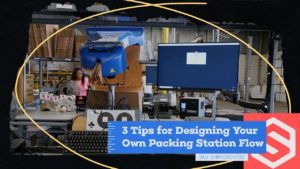
Do you know the 3 key factors to setting up an optimized packing station? Discover the best way to set up pack stations in your warehouse and how it can help improve your team's efficiency!
Hello. I’m Aaron Rubin, the CEO of ShipHero. I’m at one of our facilities. I want to show you a typical way to set up your packing station and what that process should look like. So your objectives are, first of all, you want to minimize touches, so you want to touch everything once. You never want to go backwards, so you want a flow that always moves in one direction. It never requires you to change directions. You want to not use your keyboard and definitely not use your mouse. So those things will all go slow. So, I’ll show you how we do it at ShipHero but those are the basic principles to build your own flow. So we start with totes. Totes have barcodes. You scan the barcode which pulls up the order.
You then scan the items, you put them on the scale. You then choose your correct packaging material. These buttons actually tell our system which was selected, put the items in the packaging material. If it’s a box, we use this to get the wet tape, seal the package. The invoice is printed by pressing this button here so we don’t use a keyboard, we don’t use a mouse.
We just use this big button that says invoice and label that prints a label from here. You slap that label on. You typically throw it on a conveyor here. The way this is set up, we’ve got these bins at the station, so you throw it in the bin. If you need void fill that’s available right here. There’s a foot pedal, so you’re completely hands free and you’ll notice the flow goes uninterrupted from grabbing the tote until here.
When you’re done packing it, you’re done with the order. The tote goes back, you grab the next one, repeat the process. That’s it. That’s the simple philosophy when you’re designing your pack stations: one touch, keep one direction throughout the flow, don’t move backwards, don’t use the keyboard, don’t use your mouse. Just keep those points in mind.
A cycle count is an inventory auditing procedure that allows users to check the accuracy of a subset of inventory. It helps ensure that the physical inventory balance matches the inventory in ShipHero.
Cycle counting allows you to perform periodic counts and maintain accurate inventory without stopping your day-to-day operations. It is a more flexible process than a total physical count, which would involve shutting down operations and counting everything in the warehouse.
Danno (00:06): Hello, everyone, and welcome to another episode of ShipHero Feature Walkthroughs. I'm joined today by Valerie Cancian, our Associate Product Manager. How are you today, Val? Valerie Cancian (00:14): I'm doing very well. How are you, Danno? Danno (00:18): I'm good. Thanks for asking. Today, we'll explore the new cycle count feature. Is that right, Val? Valerie Cancian (00:23): Ah, yes, and we are so, so, so excited to take a look at this feature. I'm really, really, really excited. Danno (00:31): Awesome. Okay, so- Valerie Cancian (00:33): So, I guess we'll get going? Danno (00:34): ... what is cycle count? Valerie Cancian (00:35): What is cycle count? All right. Awesome. Danno (00:35): Yeah, right? Valerie Cancian (00:38): This new feature works for our dynamic slotting accounts. Just a heads-up, a little reminder, dynamic slotting means you're able to have a location with multiple different items in it, versus static, where one item has one location. This cycle count is for those on dynamic slotting. What cycle count allows is for you to make counts of your inventory based on subsections of the inventory, on specific skew that you would like to count, or specific locations you would like to count. (01:06): This is compared to a physical inventory count, where you close everything and you just count your whole warehouse. Cycle counts, in comparison, they allow you to count just certain parts of your inventory. You also could do this on a schedule, count certain inventory every month, certain inventory every quarter, things like that. That's what cycle count would allow you to do. We're very excited to have this feature now. Danno (01:31): Awesome. Valerie Cancian (01:31): Let's take a look, and start with, where do you find this new feature? That's probably a good place to start. In order to access the new cycle count, you would want to go to what we call shipping.shiphero to get there. If you're on your main page here, if you hit the little blue icon in the top right corner, it will forward you to shipping.shiphero. It's going to default to the order page, but this is how you're going to navigate to cycle count. And the navigation bar on the left-hand side here, you'll see under inventory, because cycle count involves counting inventory. Under the inventory section, you'll see a new option here, which will be for cycle count. (02:12): Before we get there though, I want to go over two things that are going to be important before you even start with the new cycle count. Number one, you're going to need to give permissions to users that you're going to want to use this feature, and two, you're going to want to set up your settings to determine how you want your counts to be done. Let's start with that. Just quickly looking at the permissions, when you go to your users and roles, there's going to be a new section under your permissions for the new cycle count. You'll see that there's two options here. There's a cycle count for the dashboard and one for the mobile. That's because cycle count as two parts. (02:50): There's going to be the dashboard, which we'll see first. That's where you make the cycles, where you tell ShipHero, "What do you want to count?" And then there's the mobile. That's sort of a different job, which is why it's a separate permission. That is the person that's going to be out in the warehouse, scanning in the location and counting each of the items. Since these are two different roles, sort of, well, it depends on the warehouse, but usually two different roles, you have different permissions. The top one will give you access to see the dashboard that I'm going to show you first, and then the second permission here will allow you to access the mobile. (03:27): If you would like a user to be able to do cycle counts, you will need to give them permission. Now, if you are an admin, you'll have this by default, but from that point, the admin would need to give you access to use these pages. And you'll see this is important, because from the cycle count dashboard, because you can create cycles and edit them, you're going to want to limit who has access to that page. You want to start with your permissions, and then you also want to take a look at your settings before getting started. When you go to your navigation and you hit the icon down here, brings you to your settings. You'll see that there is now a cycle count setting, and there's going to be four different options depending on your account here. (04:11): Number one, you want to determine if you would like a blind count. What that means is on the mobile, do you want your counter to know what they're expected to count? How many should be there? If you'd like them to see the expected amount, then you would keep this setting off. If they're expected to count 10, you'll see 10. If it's a blind count, we won't tell them. They just have to count. It's really up to you on what you would like your flow to be. Some warehouses don't want to show that, some do. The next one is a recount discrepancy. This is another optional setting. For example, we're supposed to count 10. What happens if they count eight? Do you want us, ShipHero, to just update the inventory to eight and match the count, or would you like us to flag it as a recount? (05:02): If this is enabled, we will flag it as a recount, sending it to another counter to now go and confirm if that discrepancy is really there. When you have two consecutive matching discrepancies, ShipHero will update the inventory for you. First time, you counted eight instead of 10. Someone else goes, they count eight. At that point, we would update it. If they count something different, it would get flagged again. It is looking at the discrepancy though, so if things are picked between then, we do take that into account. It's looking for the difference of two. Then if you have lock codes enabled on your account, this is for expiration dates. If your customer that ships things that expire, you'll probably have this on your account. We will flag items with lot discrepancies. (05:52): We don't trigger them for a recount. The reason being, and if you're familiar with lots, we have articles on lots that we'll link below to give a bit more detail on it because this can get kind of complex, but one location can only have one lot. So if you're cycle counting and you're noticing that you have multiple lots in there, we'll flag it and it'll show on the report. But outside of cycle count, someone's going to have to go check that, but we will flag it. So, if you use the lock codes, you'll want that enabled. And then the last one is, what happens if you find something unexpected? The system believes you should just have a blue shirt in there. You find a red shirt. What would you like us to do? (06:36): Should ShipHero flag that for recount, or do you just want us to add it to the location because the counter was there? This is similar to this situation. You're going to want to set those accounts. Personally, I like flagging everything for recount, give it a second look, so that's what we're going to do, but that's up to you. Housekeeping, we are now ready to take a look at cycle count. To get back to the cycle count page, inventory, cycle count, and this will bring you to your dashboard. From here, you'll see quite a few things. You're going to get a list of your existing cycles, what their names, when they were created, when they're due, if you have any users assigned, what the progress is. And those discrepancies that I was just talking about, here's where you're going to see. (07:29): For example, this cycle here, there was a lot discrepancy, unexpected skew discrepancy, and a quantity discrepancy. This one was just a mess, but this will all be flagged here. You'll see the status like this one was done, so it's closed. These haven't been counted yet. Top of the screen, you'll see that we have some filters. When you start getting more cycles, you're going to want to filter them out. You can filter by type, item cycle counts, which we'll look into, location, recount only. You could sort by status, by those discrepancies, by due dates. You want to see which of your cycles are due this week, you can search by due date. You can search by assigned users as well and just filter these. (08:16): You also can modify the columns for which you would like to see here. You also can just search by name, a certain cycle. If you know you're looking for one and if this list gets longer, you can just search it and go from there. We have three different types of cycles here; a product cycle count, a location cycle count, and then if you use recounts, you'll have a recount cycle count. You can create these by going to the top right-hand corner, clicking here, and you'll see locations, items, products, or only ones for recount. Each of these have their purposes. We actually have a help doc going over in detail why someone might want a location cycle count versus an item one versus a recount one. (09:07): But in just general terms, location cycle counts are important to confirm the integrity of your location. We'll send you to the location, and you make sure everything that ShipHero thinks should be there is in that location. Make sure your locations are accurate. While the item is really only looking for specific items, so it will send you to every location that that item is in, but you're only counting that item to make sure that that item is accurate. They have different purposes, both important and both have value, so that's why we offer both. And then the recounts would be if you use those, and those are just recount items. (09:45): In order to further narrow down your selection, when you decide you're going to do a certain type of cycle count, you will get a screen where you'll be able to narrow down your criteria. You'll be able to name it. This can be edited later, which I'll show you, but name your cycle count. You can be as descriptive or as vague as you'd like. If you have multiple warehouses, choose your warehouse. Very important, a cycle count is warehouse-specific. You could assign users and your due date. This is important if you want to have a count done by the end of the month, like it's a monthly count, you want to set your due date. If you want to give this a whole quarter to be done, you can set more time or you can set it by the end of the week. (10:29): The sort by list, this is how it will sort on the mobile. Which locations are you going to count first? Do you want us to go by the locations with the least things to count to the most? Do you just want us to go alphabetical, which will definitely save on steps if you go this one, location name, or do you want us to send them to things that were counted a long time ago and then streamed to the things that were counted most recently? These are options depending on your business needs. We tried to be flexible with this new cycle count to go with whatever you would like, but that's what those would mean. You do need to select the warehouse before you could see the location types. That's why I clicked that real quick. (11:18): You also can sort by location types. For example, if you only want them to count bins and not pallets, you can select just count the bins. You also can sort by prefix. A common example is maybe you wanted to count all of your row 30, count everything in that row. You could type in 30, and it will pull only the locations that start with 30. The prefix does have a two-character minimum, so you can't just put in three, because it's not specific enough, but it doesn't have a max, which is useful. For example, if you wanted to count very specific locations, like just these three, you can type in that location. Just make sure you hit enter, and you can type in multiple prefixes or multiple locations. That's another way to narrow down exactly what you would like to count. (12:09): And then on the other hand, you also can exclude things. You could exclude locations that are sellable or not sellable, pickable or not pickable. Do you want to count your overstock, which is not pickable? Do you not want to count your overstock? Do you want to include things that have no inventory? Do you want to only count things that we, ShipHero, thinks is empty, and confirm that it's empty? You can do that. You can exclude things that were counted recently. This one, which is are on an active cycle count, do you want to exclude locations that are on another account? What can happen is sometimes the parameters can overlap, meaning a location might be in multiple one of these searches. Do you want it on both cycles? Well, it's up to you. Would you want that counted twice or not? (13:01): A situation where you might want it counted twice is say you have a location count for everything in 30, and then you make an item count for blue shoes that happened to be in a location 30. Do you want us to show that location in multiple cycles? You might, because one of them, the goal is to make sure that location is accurate, while the other one, the goal is to make sure that the shoes are accurate. Or you might say, "No, I don't want two counters sent there, so we'll just count that location, confirm the shoes are okay, and then count the rest of the shoes later." That's the point of that exclusion. Do you want that on both cycles? Again, it's really up to you. We will show the results based on your filters. (13:46): Now, location cycles are cool, but what most people wanted was the ability to count by item, so we're going to take a look at that one and actually make an item cycle count. On the item level, up on top here, similar. You name it, select your warehouse, due date, all of that stuff. We're going to do this one together. And I know Q4 holidays, always a big time to do these kind of things, but there's holidays throughout the year. So, going into the busy season, we're going to do a count of certain skew that we know are going to be sellers for the holidays. And if you're watching this video in June, still be preparing, still preparing for the holidays. We'll set our due date here. We're going to count this one alphabetically, and then you'll look at the parameters. (14:40): Parameters are a little bit different for the items. You can sort by a specific vendor. You can search for just specific skew. Say you have a flash sale and you're going to just be selling pumpkin-scented candles, because fall is coming and you just want to search that skew, you can just count that specific skew. When you click here, you'll see some options. You also can start typing them in and do it that way. But the one I want to focus on is actually tags, because I think this is going to be very useful for a lot of people, because it's the most versatile way of counting a subsection of skew. (15:18): Product tags can be assigned to products in bulk. There's a few ways of doing it. You can do a bulk edit, and I believe we have articles on this as well. You also could use a bulk edit CSV to upload and add tags. And pretty much what you would do is you would label the skew with whatever criteria you would like, so for a holiday sale, you can tag them all holiday sale. Or if you're wanting to count something monthly, anything you want to count monthly, you tag them with a monthly count, and then you would just type in monthly and it would pull every skew that you tagged to count monthly. This can be used for really any reasons. You want fast-selling skew, top sellers, you would just tag all the skew top sellers, and then put here, top sellers. And then when you run your cycle, it grabs everything that's a top seller. (16:11): There's just a lot of options using the tags, which is why that's the one we're going to look at. I did put a tag in here for us to try. What I'm referring to is when you're looking at your inventory, there's tags here. I have one monthly count, and then I created a tag for holiday sale. That's the one we're going to do. We're going to do holiday sale, hit enter. All right. What that should do is pull all the items with that tag. And then, do we want to exclude anything? I'm going to exclude things that don't have any inventory. I'll leave this, so if it's on another account, I will. I'm going to exclude things that are flagged for a recount, but we'll leave everything else. All right, and then we will hit add. You'll get a green notification, cycle count created. (17:13): If, for some reason, your criteria don't return any results, maybe everything's on another account, you'll get a notification and then you could just change your criteria. But here we go, holiday season sale, and we open it up. All of the items that I had tagged are here, and what you'll see is if an item had multiple locations, we will be sent to all the locations. Here we have this, and this location and this location, and we have our full list of skew. Let's take a moment and take a look at this page, because this is going to be a great view for managers. This is how you'll be able to see what's going on, what counts have been done, what's counted as expected, what discrepancies they are, who's counting. This is going to be your view, and there's a lot you can do here. (18:12): How you access this, you just click into your cycle. You'll see which one it is, what the status is, when it's due, so how much more time do you have? Some of this can be edited, for example, if you want to make the name more descriptive or if you wanted to change the due date. Maybe if you're a 3PL, your client wants something counted sooner, you will be able to up the due date. Or maybe you realize you need more time, you can move the due date. That's why we allow those to be changed. You'll see here what type of count it is, who created this cycle, so you know who did that, when it was. I get questions about that, like, "Who created this?" Now we show you. When the counts were started, when there was any last activity, and how much time has been spent counting this. (19:04): You can assign users, and what will happen here is when a user is assigned, when they're on their mobile and they go to cycle count, which we'll see shortly, they'll see a section, "Cycles assigned to me," and then they'll see the ones that were assigned to them so they can click those. You'll see your parameters. What made up this list? Anything with this tag? Those are my exclusions. That's how we sorted them, which is good if you need to refer back. In case you want to run the same cycle again later on, you can see what you did here. You can add additional items to a cycle if you realize, "Oh, I forgot to tag something," a baseball cap. You can come in and add it. (19:54): You also can remove things, so if you forgot an exclusion and you don't want to count a certain location or a certain item, when you click here, there is an option to remove. That's why those permissions are very important, so whoever has access to this definitely can change things. You want to limit who can edit this, but if you're a manager, this gives you a lot of flexibility. You also can export this. When you're done counting, and if you want to export and run some analysis on how many discrepancies you had or the average time things were taking to count or who your top counters are, this can all be exported into a CSV, and then you can use that data however you would like. You also could modify your columns here. (20:44): Another cool thing to note is this list is dynamic, meaning it will update as your warehouse updates. Warehouses are, I say they're living things. I guess not really, but I always say they are. Danno (21:02): In a way. Valerie Cancian (21:03): In a way. As things are picked from a location, the expected will decrease as long as it's not counted yet. If you make this cycle and it's not due for a few weeks, so no one's really counted it yet, we'll keep updating it. Once this item is counted, it locks it, but the rest of the list will keep updating, just because things are always moving. We had to stop it at some point, but if things are picked, the expected will go down. If you transfer more to that location, the expected will go up. If this item is added to another location, because remember, the goal of the item cycle count is to count every location that that item is in unless you specify otherwise, we'll add it. (21:52): One example we had is, say we had 25 in receiving. Before you counted it, we moved some of those to a different bin. You'll see that in the new bin will be there. That's something to know if you do make these in advance, that it's going to update as the inventory moves around so that you are getting accurate counts. Before we take a look at this list on mobile, I do want to show you what this looks like for a location count, because while similar, there's a couple little differences. Going back to our main list, if you go into a location cycle count, you'll see the list. Instead of it being items, it's the list of locations to count. (22:36): But what's really cool is you can open it up and see what items were in that location, and like with the other list, this will change. So if something gets added to the location, we'll add it as long as the location wasn't counted yet, and if something is moved out, we'll move it out, and the expected decreases as things are picked or increases if transfers are done. It will update for you once you have your list there. What you can see from this view, this is actually a good view because this is more of a cycle that's already been done. You can go in and you can see, "All right, this location, the baseball caps were good. This one, all right, we had a few issues here." The lock code was off, so I'm going to have to go get someone to check that, and the quantity was off, so it's going to get flagged for a recount. (23:30): This location was fine except the lock code was off again, and then this one, we had an unexpected skew. We were expecting zero, but there were three. This gives you a lot of information on, "Okay, these e-locations need some work. Seems like something's going on there. We'll want to check that." And then based on your settings, we'll determine if we added this to the location or not. If the recount is on, we didn't add it. It's here in your report, but we didn't add it yet. You'll have to recount it. Same with this. We don't update the inventory until there's a recount, unless that setting is off. This gives you much more insight into everything; who counted it, how long it took them. I mean, 17 seconds, I don't know if Valerie even counted this. Maybe she did. No, I'm joking. And here's all your other data. All right. I know that's a lot, but this feature just has a lot. (24:36): Okay, so we're going to take a look now at counting on mobile for the new cycle count. This will be who is out on the floor, who's going to be doing the counting. How they'll access the new cycle count is when you get to the top left corner here, you go to the product tab and you'll see an option for cycle count. When you click there, you'll see a list. Now, I am logged in under an admin, so I'm just seeing the cycle counts that are available to count. Your user would probably see... What it would say would be, "Cycles assigned to me," and it would show the ones assigned to them with other listed below. We have images of that in our help doc article, but because I'm in under an admin, it looks a little bit different. (25:25): From here, you're able to select which cycle you would like to count. We're going to go into our holiday season one, and you'll see it's first going to send you to a location. I have blind counts on, meaning it's not going to tell me how many skew or how many units I'm expecting. This is an item count, so it has to tell me what to count, but it just won't tell me how many, so I'll have to go to that location. A few things to look at though. From here, you are able to skip a location. If you skip a location, it just sends you to the next one. You can go back to that one later. It just will loop you around. You also can choose to go back. Reasons to skip a location, I don't know, maybe someone's blocking it or there's a big pallet in the way or, I don't know, robots are running around. Who knows? But you can skip a location. You never know. (26:21): In the top right-hand, there is an option here where you'll see the location. For example, if you did want to go back to another location, you could. Since I have these in alphabetical order here, that is how they are listed, and you'll see all the different items that you can count. Now, something to note, because warehouses are always doing things, if someone is picking at a location, we won't send you there to count it until they're done. If you're wondering, "Well, it sent me to the C before the B," well, B might be locked, and the system has to take that into account because someone might be picking, and we can't have you count if they're picking there. Once they're done picking, it will unlock it and then you can go count it. But that is being calculated in the background, so if you notice it's sending you here, it could be because of picking. (27:24): Anyway, you scan in the location. It says, "All right, count these," and you can either pull things out and just type in a number, or you get your scanner and you just scan in the barcodes and it will increment as you scan. I'm not sure how many are supposed to be here, so we're just going to put in a number and then I'll hit save. That was the wrong number. If it is wrong, you will get a little bit of a warning. It won't tell you what the expected was, but this is just a heads-up just so maybe you can look around, see if you dropped something, maybe do a quick one-over just to make sure. If you're like, "Yeah, no, there's really 10 here," then you just hit save anyway. Otherwise, you can just go back. It says, "Okay." It sends you to the next location, and you would just keep repeating this process as you keep counting. (28:27): If I wanted to switch to another location, I can count, let's try 15 this time. Nah, okay. Now, you can scan in. I'm going to the list instead of scanning. You can definitely scan in each location, which I will show you. There you go, location confirmed. And then the same with this item, you can scan it. Now, you may be wondering, "Okay, Val, what if I scan in an item that is not this item?" You will get a little error that says, "This item is not part of this cycle. Please put it back," and you would proceed. For item cycle counts, we only care about a certain item. We don't care about the other items that are not part of the cycle. That's why you'll just get an error. (29:34): If it were a location cycle, then you'd get your unexpected skew where it would add it and proceed. But in the case of an item cycle count, that wouldn't happen, which I could show you. Okay, so I'm here and the scan's not part of the current cycle. For an item cycle count, it won't add it. And then we'll just hit save, save. Okay, so you'll just keep proceeding with this. What I want to show you though, is your report here. What you'll see is it will update as you've done your counts. Here is the dress that I said was 15. It was supposed to be 25. You'll see that there is a discrepancy and it'll tag it. And then if we open up our view, here are the other ones that we counted, C1 and C2. Again, these were off and these will be flagged for recount. (30:36): If a location has, like C4 here has multiple items, you will be directed to count all of the items in that location at that time. It just so happened the ones that we were sent to first just had the one item. But this will keep updating as you count, which gives you insight if you wanted to see how your team is doing. You can log in and be like, "All right, they're 12% done with this. We got 15 more days to complete this before the holidays. Maybe I should assign more users to it." Hit save. And then if you're seeing a lot of quantity discrepancies, it helps you make some business decisions on what's going on. "Why are these dresses all over the place? We'll probably need to do something about that." (31:23): But that is the basis of the cycle count. You create the cycles. You can manage them. You can edit them. When you're done, you can hit end. You can end at any time. If it's not done, you will get a warning. Pretty much, it will stop it. No one else will be sent there. You do get a warning, but you can end that at any time. You can always add more items and remove things. You can't remove things that have already been counted. That would mess with your data and I don't suggest it, so we don't let you do that. But that's really it, Danno. Does all that make sense? I know it's a lot. I know this feature has a lot of parts, but I think- Danno (32:10): No, it totally makes sense. Valerie Cancian (32:11): Thank you. That's good. Danno (32:12): As usual, it's super intuitive. Yes. Valerie Cancian (32:15): Yeah. I hope it's both intuitive and then just adds a lot of value for everyone that uses it, and could just help you make your inventory more accurate, which prevents all sorts of issues; lost inventory, damaged inventory, misplaced inventory. It's just a nightmare, and everyone who's watching this probably knows that. If you count your inventory and you can proactively catch these mistakes before an item is picked, when you're doing these counts and you notice something is damaged and you can catch that in advance, it will just save you time. It'll save your business money for missed shipments and all of this kind of stuff, so highly recommend the new cycle count feature for sure. Danno (33:02): Thank you very much, Val. Thank you for your explanation. Valerie Cancian (33:06): Thank you for having me. Danno (33:08): Awesome. If you'd like to check out other feature walkthroughs, click on the top right corner right now. If you're ready to unlock your e-commerce fulfillment superpowers, visit shiphero.com and schedule a call with us. Thank you for watching and have a great day. Valerie Cancian (33:20): Thank you.
VareYa Tripled Their Business With ShipHero.
Located in the Netherlands, VareYa began providing 3PL services for B2B companies across Europe, Asia and the UK in 2008. With just 30 full-time employees, and looking to switch to a B2C business in 2016, VareYa knew that their current, disorganized warehouse management solution wouldn’t allow them the growth they wanted. All of these non-integrated systems led to a ton of paperwork, a ton of mistakes and a ton of headaches.
Enter ShipHero. With its fully end-to-end Warehouse Management Software solution, ShipHero was able to migrate all of VareYa’s systems to an all-in-one platform. Instead of using a variety of different software, VareYa could now just look to ShipHero to run its warehouses.
ShipHero was a lifesaver. It was three years ago that we decided to find a new system. So, I had a list of requirements and it was like, check, check, check, check. And the support was very great from the beginning. When we onboard the client, the connecting with the store is like plug and play. Even the client can do it in like 5 minutes and before it took days to get connected.
You can just create the automation rule very easy. It’s very user friendly. Everything that we needed was integrated. So it was like a system that was built for us. Since we used ShipHero, we tripled. So all our clients love it because they are able to to have an account and they can also create all their accounts for their for their teams.
And that is something they really like. And I know for sure that for a lot of clients, it was the reason to start doing business with us. What’s helped us a lot is that we have the reports in ShipHero and we communicate these reports to our clients and they really appreciate it. I know for sure that that ShipHero has helped us a lot to grow.
I’m really happy with the support every day. It’s really positive. Also, if we need new features, they put it on the feature list. Actually, I don’t have any negative points.




.svg)