shiphero Blog

Reading gives you superpowers

Let’s stay in touch with the ShipHero Blog.

July 17, 2025

Detailed Guide to Automated Warehouse Picking Systems for 2026

While your team is still walking aisles, your competitors are cutting pick times in half with automation. Guess who’s shipping faster and stealing market share?

Automation isn't the future anymore. It's the present. For growing eCommerce brands or fulfillment centers under pressure to deliver faster, cheaper, and more accurately, automated warehouse picking systems are no longer a luxury. They're a necessity.

In this guide, you'll learn how automated picking systems work, the types available, how to choose the right one, and how ShipHero can help you streamline fulfillment processes with confidence.

What Are Automated Warehouse Picking Systems?

Automated warehouse picking systems use software, robotics, and real-time data to locate, retrieve, and prepare items for shipment, without relying solely on human labor. Instead of employees walking long distances and manually selecting items, automated systems bring items to workers or direct them with tools like lights, voice commands, or mobile robots.

For example, in the eCommerce space, brands use Goods-to-Person (GTP) systems to increase operational efficiency and efficiently handle large catalogs of SKUs. In retail, where seasonal order surges can overwhelm manual processes, automated solutions help companies double their picking speed and maintain consistent fulfillment even during peak demand.

How Does An Automated Picking System Work?

The process is surprisingly seamless:

  1. An order is received from your store (e.g., Shopify, Amazon).
  2. Your WMS (like ShipHero) routes the order.
  3. The picking system (robot, light, voice, etc.) guides or performs the retrieval.
  4. Items are packed and shipped.

This flow is driven by smart software that integrates with warehouse management systems and supports key warehouse processes, including picking, packing, and tracking real-time inventory.

Want a deeper look at the tech behind it? Read this guide on warehouse automation software.

Types of Automated Picking Solutions

There’s no universal solution for warehouse automation. The best picking system depends on your space, order volume, and the variety of products you offer. Some work better for high-SKU, high-volume operations; others are ideal for smaller, more focused setups. Below, we break down the top systems and which warehouse types they’re best suited for.

Goods-to-Person (GTP) Systems

GTP systems deliver inventory directly to a stationary picker, eliminating walking marathons. This setup enhances inventory management, reduces physical strain on workers, and improves worker safety.

It also optimizes order accuracy by minimizing human error. By minimizing walking time and keeping pickers in one place, GTP systems significantly boost pick rates while also cutting down on labor fatigue.

Pick-to-Light Systems

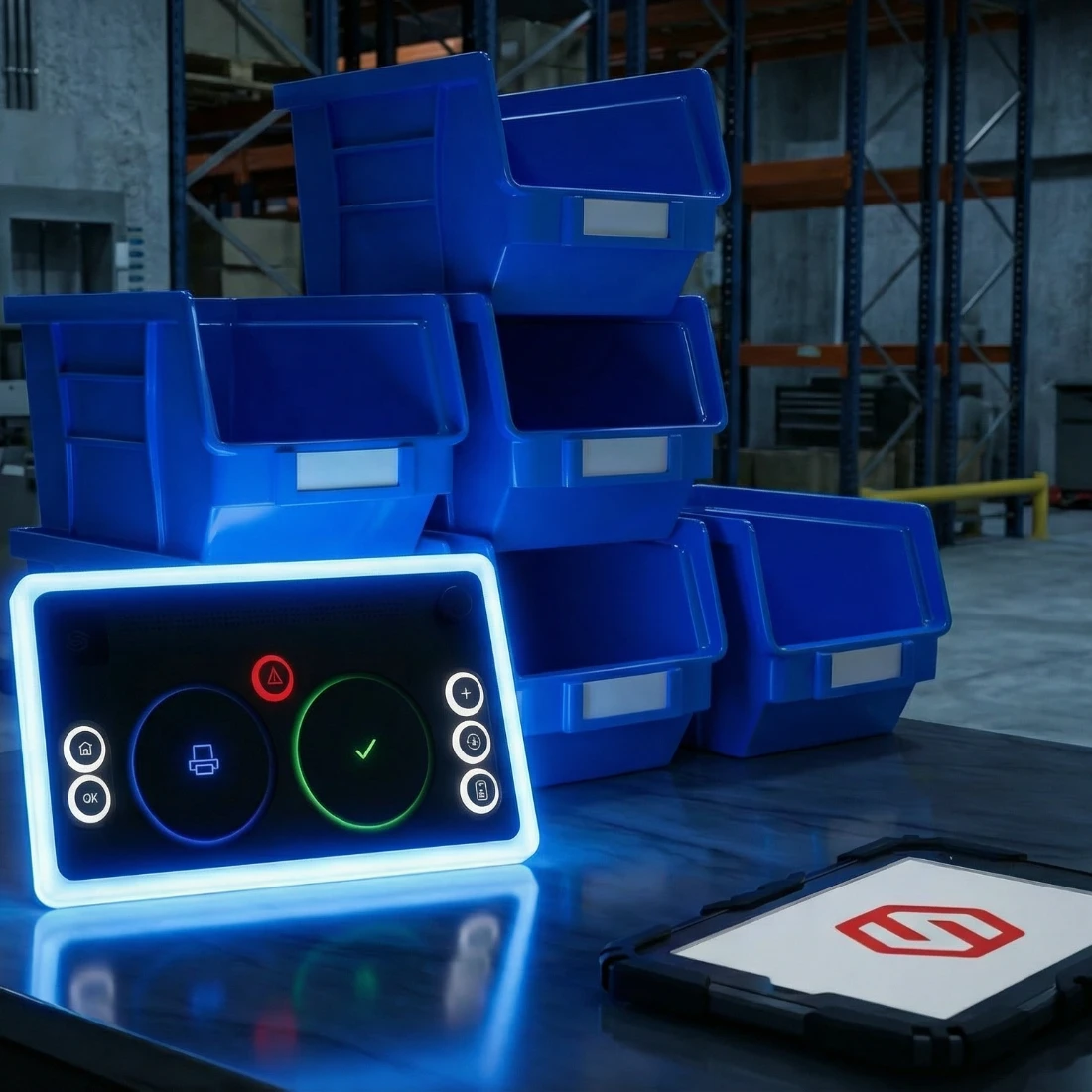
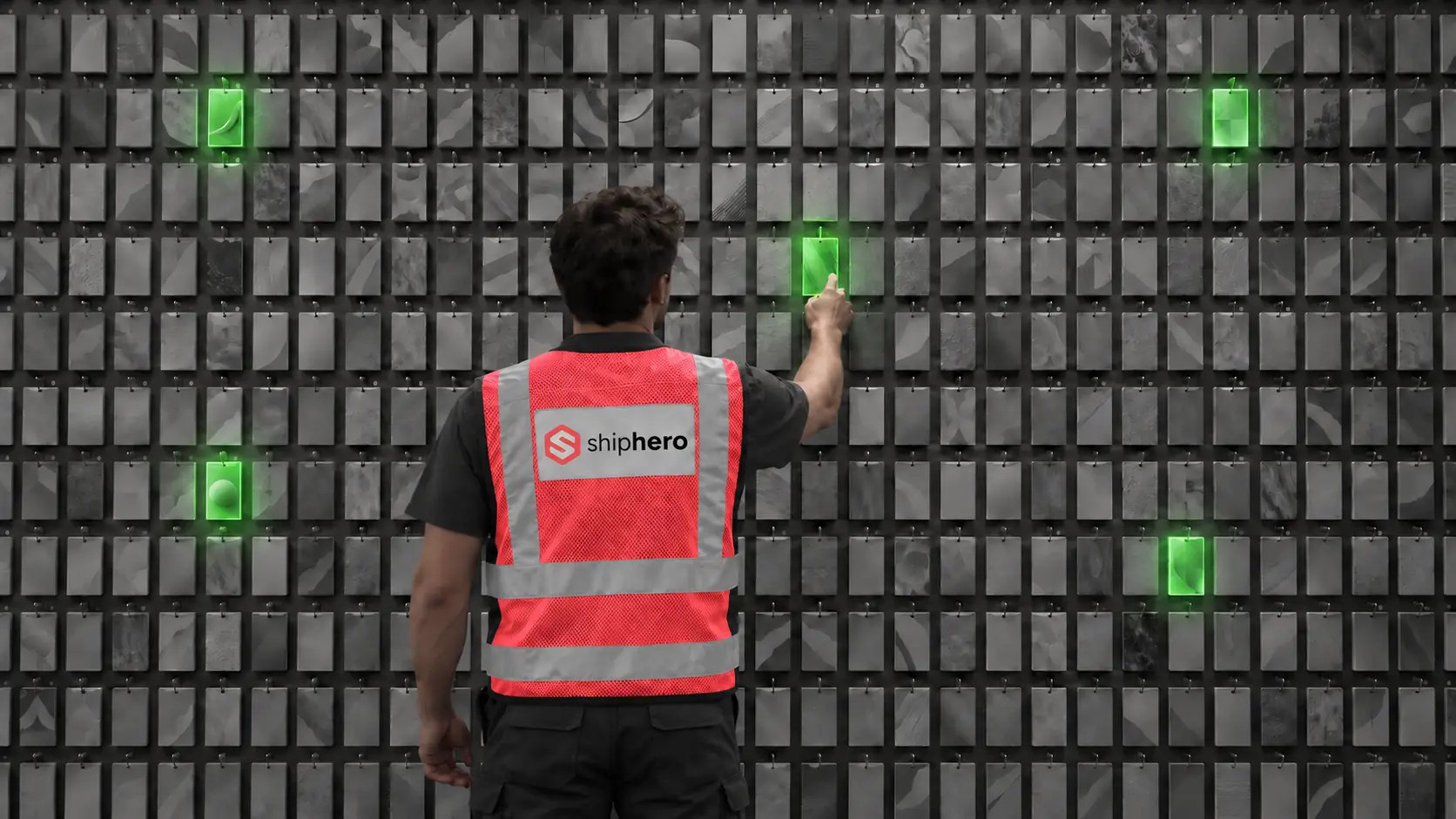
Pick-to-Light is an automated solution that uses LED light bars to guide workers to the right location for picking items, enhancing accuracy, speed, and efficiency while reducing errors.

When paired with Pack-to-Light and Receive-to-Light, your entire workflow is streamlined. Pack-to-Light ensures precise packing, while Receive-to-Light optimizes inventory storage and retrieval. Together, these technologies simplify inventory management, reduce labor costs, and accelerate fulfillment.

At ShipHero, we offer all three solutions, Pick-to-Light, Pack-to-Light, and Receive-to-Light, under one roof, seamlessly integrating with your existing systems to optimize warehouse operations. The combination can help boost efficiency by 20% while also cutting costs by up to 30% for batches of 10 to 30 orders.

Voice Picking Systems

Pickers wear headsets and follow voice commands to locate items, like a GPS for your warehouse. This hands-free approach automates repetitive tasks, shortens training time, and reduces picking errors, even in noisy environments. It also improves accuracy, even in noisy environments where traditional methods might fall short.

Autonomous Mobile Robots (AMRs)

AMRs, or autonomous mobile robots, navigate the warehouse floor independently, delivering items or bins to human workers or packing stations.

Unlike fixed systems, AMRs offer greater flexibility and adapt to varying warehouse sizes, support scalable operations, and offer the flexibility to grow without major infrastructure changes. They’re also highly scalable, which makes them a smart choice for warehouses looking to grow or adjust operations without major infrastructure changes.

Automated Storage and Retrieval Systems (AS/RS)

These are high-tech racking systems equipped with robotic cranes or shuttles that automatically store and retrieve inventory. They’re especially well-suited for large warehouses with high inventory turnover, where speed and space efficiency are critical.

Businesses that need to maximize vertical storage find these systems invaluable, and industries such as pharmaceuticals, automotive, and electronics often benefit the most from their precision and scalability.

Benefits of Automated Order Picker

Still not convinced? The real-world benefits speak for themselves. Automation significantly reduces human error, particularly in fast-paced warehouse environments where accuracy is crucial. It also speeds up fulfillment, often cutting pick times in half or more.

By streamlining operations, businesses can lower labor costs by either reducing headcount or reassigning team members to more valuable tasks.

By transitioning to automation, companies often see dramatic improvements in efficiency and cost savings. For example, automation can reduce warehouse labor costs by up to 60%, allowing businesses to reallocate resources and scale more effectively.

Challenges of Using an Automated Picking System

It’s not always smooth sailing when implementing automated picking systems. One of the biggest hurdles is the high initial investment, as hardware, software, and integration can come with a steep upfront cost.

Staff training is another challenge, as teams need time to learn how to use the new technology effectively. There can also be short-term disruption; installation and onboarding may temporarily slow down operations. But the long-term gains are often worth it.

For example, James Enterprise struggled with paper-based picking and processing delays before switching to ShipHero’s Warehouse Management System.

The transition required workflow changes and staff training, but with proper planning, such as going paperless, reorganizing their layout, and utilizing smart pick paths, they boosted productivity by 38%. New hires cut their pick time from 55 to 34 seconds in just five days, proving that smart automation pays off.

How to Choose the Right Automated Order Picking System

Finding the right automated picking system starts with understanding your specific needs. Warehouse size plays a big role, as larger spaces often benefit most from solutions like AMRs or AS/RS that can cover more ground efficiently. If your business manages a high variety of SKUs, systems like GTP or voice picking can offer the flexibility and accuracy you need.

For those working with tighter budgets, starting with light-based or voice-guided systems can provide a solid foundation without breaking the bank. Regardless of your starting point, scalability is crucial; your system should be able to grow in tandem with your business. Partnering with ShipHero ensures you get expert, customized guidance and future-proof solutions designed specifically for your operation.

Best Practices for Successful Warehouse Picking Automation

Implementing warehouse picking automation isn’t just about installing new tech; it’s about doing it strategically. To get the most out of your investment and avoid common pitfalls, follow these proven best practices:

Best Practices for Successful Warehouse Picking Automation

  • Set clear goals. Know what success means—faster picks, lower costs, or better accuracy.
  • Train your team. Ensure staff are confident in using the new tools.
  • Monitor performance. Track KPIs, such as error rates and pick speed, to identify issues early.
  • Start small. Test automation in one area before scaling across the warehouse.

For example, Black Wolf Nation and its 3PL arm, ONE23 Fulfillment, partnered with ShipHero to scale their operations. By adopting ShipHero's warehouse management software, they increased their order volume from 10,000 to over 25,000 per month in less than a year. This strategic implementation allowed them to efficiently manage growth and expand into the 3PL space.

Key Takeaways

  • Automated picking systems boost warehouse efficiency, accuracy, and cut labor costs by up to 60%.
  • Choosing the right system depends on your space, SKU variety, and growth goals.
  • Strategic implementation, including starting small, training teams, and tracking performance, is crucial to achieving long-term success.

Frequently Asked Questions

What is the Average ROI Timeframe for Automated Picking Systems?

Most companies see a return on investment within 12 to 24 months, depending on the system and order volume.

Are Automated Systems Suitable for Small Warehouses?

Yes. Many automated systems are designed to be scalable and cost-effective, which makes them ideal for small warehouses. Solutions like Pick-to-Light and voice picking can start small and expand as your operation grows.

Can Automated Picking Systems Handle Fragile or Irregularly Shaped Items?

Yes. Advanced systems feature adjustable grippers, sensors, and packaging logic to safely handle delicate or irregularly shaped products.

July 17, 2025

What is Wave Planning in a Warehouse Management System?

Warehouse management systems make daily warehouse operations efficient. And wave planning is at the heart of it.

As part of the supply chain industry where efficiency is of utmost importance, the fast-paced environment of warehouse management requires every aspect of operations to work on schedule. This is where wave planning comes into play and brings efficiency to the table.

It integrates with warehouse management systems and streamlines end-to-end warehouse operations to meet customer expectations of fast shipping and real-time updates.

What is Wave Planning in a Warehouse?

Wave planning batches orders for optimized picking routes, shipping, and priority. It supports operational workflows and integrates with warehouse wave picking strategies to maximize productivity, reduce errors, and improve overall daily warehouse output.

This turns warehouse operations into an organized process of handling and systematizing hundreds of orders a day.

Best Practices for Wave Management

Applying the best practices for wave management allows for maximum efficiency in managing daily warehouse operations. Start with these:

Prioritize Orders Strategically

Not all orders need to be shipped at the same time. Some can wait, others can’t. Strategic planning means prioritizing orders based on shipping deadlines to ensure they are shipped out and delivered on time. This increases customer satisfaction and overall operational efficiency. To better understand the core workflows that make this strategy effective, explore how we have explained the six key warehouse processes.

Leverage Real-Time Data

Accessing real-time data allows you to monitor every wave that’s happening, from orders getting picked up to those that are delayed. This lets you take action accordingly, especially when spotting issues as they are happening.

Minimize Downtime

Downtimes are red flags in wave management. They are equal to unproductivity and possible shipment delays, both affecting operations to meet quotas and customer satisfaction.

Reduce idle time in operations with these methods:

  • Ensure all inventory is ready and accessible
  • Auto-launch waves per order category
  • Monitor pickers and packers, and reassign them as needed
  • Set up alerts for any disruption so they’re solved ASAP
  • Use smaller, targeted waves for more flexibility

Plan for Peak Periods

High-demand periods like holidays, promotions, and occasional spikes can cause chaos, especially if you don’t have a plan in place. That chaos can overwhelm your normal operations and lead to delays and unsatisfied customers.

Avoid this by ensuring scalability for peak periods with effective wave planning:

  • Forecast orders based on past data
  • Use shorter, more frequent waves that are easier to adjust
  • Separate waves according to categories & priority
  • Have a backup plan to keep operations in place despite delays or failures
  • Utilize real-time monitoring for immediate actions on issues

If you’re preparing your warehouse for high-volume fulfillment, it may be worth exploring how automated warehouse picking systems can make wave execution more efficient and adaptable.

Use Defined Picking Zones

Warehouses have different zones to which pickers are assigned.

Having specific picking zones gives structure to the picking process, making it easier to execute even through high-volume orders.Having defined picking zones helps:

  • Reduce travel time for pickers and allow more time to fulfill orders
  • Balance workload among staff by assigning them according to the volume of orders
  • Pickers become knowledgeable about their zone, making work easier and more efficient

How Does Wave Management Handle Unexpected Changes in Order Volume?

Wave management gives you the flexibility to adapt quickly when an unexpected change occurs during operations.

A common issue often faced in wave management is the sudden changes in order volume. This disrupts the flow of current waves and may have an avalanche effect on the whole operation if not solved immediately.

Here’s how wave management adjusts operations to meet demand fluctuations:

  • Adjusts the wave by splitting large ones into smaller waves
  • New orders are added quickly to the system
  • Reassign workers to high-volume zones through alerts.

How Does a WMS Simplify Wave Management?

A warehouse management system creates an overall plan that controls the flow of a warehouse's production. Using tools and automation, a WMS simplifies and streamlines wave management to execute warehouse operations from fulfillment to packing and delivery.

What is the Difference Between Wave Planning and Wave Management?

The main difference between wave planning and wave management is that the former is where the strategizing happens, while the latter is the execution and overseeing that the plan takes place.

Wave planning is the strategic part of grouping what orders should be fulfilled together, setting the time for wave releases, and adjusting them based on warehouse capacity and labor availability.

Wave management is the main operational part where the production happens. It tracks the real-time progress of wave execution to ensure things are running smoothly according to plan.

Digital vs. Wholesale Waves

The main difference between digital and wholesale waves lies in their order size, wave planning, and operational goal. Due to their differences, each wave type requires different planning and strategy.

Digital waves service the B2C channel, are high in volume, and often have small, single-item orders that require urgent or same-day deliveries. The wave strategy used is frequent and short for flexibility. For this wave type, warehouse managers use WMS-integrated mobile devices for tech support

Meanwhile, wholesale waves are for bulk orders, often for retail distribution, resellers, or B2B supply chains. Wholesale waves have a lower order volume with large shipments and more flexible timelines.

Key Takeaways

  • Wave planning creates more efficient warehouse operations by grouping together orders based on routes, delivery time, and priority.
  • Prioritizing orders and minimizing downtime are important, especially during high demand and peak periods.
  • Strategizing happens in wave planning while executing the strategy happens during wave management.

Frequently Asked Questions

Can Wave Planning be Used in Warehouses with Small Inventories?

Yes, it can be used if they have large volumes of orders per day, orders with time-blocked pickups, or group orders with shipping deadlines.

Are There Specific Industries where Wave Planning is Most Beneficial?

Yes. eCommerce and retail, grocery and food distribution, healthcare and pharmaceutical, industrial supply, and consumer packaged goods industries are industries that benefit from wave planning. These are industries with high order volume, delivery sensitivity, and high operational complexity.

Can Wave Management Improve Same-Day Shipping Capabilities?

Yes, wave management is designed to make warehouse operations, including same-day shipping, possible. Wave management creates a structure that speeds up the order fulfillment, speeding up the process for all warehouse operations, such as same-day shipping.

July 17, 2025

What is Warehouse Wave Picking? Definition and Essential Tips

Your warehouse isn’t slow because your team isn’t working hard. It’s slow because they’re working inefficiently. When every picker is chasing orders in random directions, you lose time, increase errors, and risk customer satisfaction.

Wave picking fixes that by turning chaos into coordination. By grouping orders for optimized picking routes and releasing them in scheduled “waves,” you can streamline picking, reduce walking time, and enhance picking speed, especially in high-volume eCommerce environments.

In this guide, we’ll explain what wave picking is, how it works, and how to use it to run a faster, leaner, and more accurate warehouse.

What is Wave Picking?

Wave picking is a warehouse picking strategy where orders are grouped and released in scheduled “waves” throughout the day. Each wave organizes orders based on factors like delivery time, product type, or warehouse zone, to help your team pick faster, move smarter, and stay organized. When paired with automated warehouse picking systems, wave picking becomes even more powerful, and minimizes manual effort while maximizing speed and accuracy.

For example, a warehouse might group all orders that need same-day shipping into a morning wave, while standard shipping orders are picked in the afternoon. This keeps the flow structured and reduces chaos on the floor.

Brands using wave picking have seen measurable results. A study published in Acta Logistica found that accurately batching and releasing orders in structured waves reduced cycle times by more than 13% compared to unplanned methods, proving how it standardizes warehouse processes and improves resource utilization. This demonstrates how even modest changes in picking structure can lead to significant gains in warehouse efficiency.

How Does Wave Picking Work?

Wave picking operates through a structured, three-phase process: pre-wave, wave, and post-wave.

Each stage plays a critical role in coordinating order fulfillment, from organizing batches of orders to guiding pickers efficiently through the warehouse and ensuring fast, accurate packing and shipping. Understanding how each phase works is key to unlocking the full efficiency potential of wave picking.

Before picking begins, the warehouse management system (WMS) organizes inventory for efficiency by grouping orders into waves based on factors like shipping deadlines, SKU type, or zone. It then generates batch pick lists, allocates resources, and ensures that equipment and carts are ready, laying the groundwork for a smooth picking process using proven picking strategies.

Good Company, a 3PL provider, exemplified this by leveraging ShipHero's multi-item batch feature. This streamlined their pre-wave setup, enabling them to group multiple orders with shared items into single picking runs. This drastically reduced picker travel, and as they scaled from 500-600 to 6,000-10,000 units daily within 18 months, allowed them to halve their pick time. This demonstrates the immense power of an optimized pre-wave process.

Performing Wave Picking

Once a wave begins, pickers follow optimized routes through the warehouse to collect items. The goal is to reduce backtracking and congestion by assigning pickers to specific zones or paths.

E-Commerce Xpress, an eCommerce fulfillment provider, has significantly streamlined its picking process by adopting ShipHero's Warehouse Management System (WMS). Their previous manual methods caused inefficiencies and excessive picker travel. By using ShipHero's multi-batch order feature, they transformed their picking phase. This technology groups multiple orders into single runs, creating highly optimized routes and eliminating unnecessary trips. The result was profound: E-Commerce Xpress could fulfill 200 orders in just 2 hours with one person, a task that previously required four staff members 4-5 hours. This showcases how wave picking handles peak operational loads and supports multi-order fulfillment with ease.

Post-Wave Picking

After items are picked, they move to packing and shipping. This phase includes labeling, verifying accuracy, and dispatching the final product. A well-organized post-wave process ensures orders are completed on time and without mistakes.Consider Vareya, a 3PL and fulfillment company, which dramatically improved its post-wave efficiency and client satisfaction by adopting ShipHero's Warehouse Management System (WMS). Previously, Vareya struggled with disconnected systems, resulting in significant errors and excessive paperwork. By migrating to ShipHero, they automated workflows and shipping labels, ensuring efficiency and accuracy in packing and dispatch. This allowed them to triple business volume and meet customer service levels consistently.

How to Do Wave Picking Effectively

To get the full benefits of wave picking, it’s essential to follow proven best practices that align your people, tools, and workflows. From using the right technology to organizing pick paths and handling carts efficiently, these core strategies—like those in our warehouse picking strategies guide—will help you maximize speed, accuracy, and productivity in every wave.

Use a Warehouse Management System (WMS)

A powerful WMS like ShipHero automates wave creation, drives real-time decision-making, and optimizes paths. It ensures every wave is precisely executed and synced with inventory.

Calculate optimal picking routes

Calculating optimal picking routes is one of the most effective ways to reduce travel time on the warehouse floor, a major contributor to inefficiency. By using route optimization software, pickers follow the shortest and most logical paths through the facility, thereby avoiding unnecessary backtracking and congestion. This not only speeds up fulfillment but also reduces fatigue and boosts overall productivity, especially in high-volume environments where every second counts.

Define cart handling strategies

Efficient cart handling is key to successful wave picking. Organizing carts by order, zone, or SKU reduces sorting time and speeds up packing. This keeps the workflow smooth, reduces errors, and enhances overall fulfillment efficiency.

Types of Wave Picking

Wave picking comes in different forms, each suited to specific warehouse needs. Whether you’re handling large SKU volumes, urgent orders, or multiple zones, choosing the right strategy can boost speed, accuracy, and efficiency.

By Product Type

Organizing wave picking by product type allows warehouses to group similar SKUs into the same wave. This reduces picker travel time, as items are often stored near each other, and enables faster, more efficient picking by creating consistent, repeatable paths through the warehouse. It’s especially useful for high-assortment operations where grouping like products streamlines the process.

By Order Priority

Wave picking by order priority ensures that urgent orders, such as express shipments or VIP customers, are grouped and processed first. By releasing these high-priority orders in the earliest waves, warehouses can ensure faster turnaround times and meet strict delivery deadlines, thereby maintaining high customer satisfaction and consistent service levels.

By Picking Zones

Dividing the warehouse into picking zones allows each wave to focus on a specific area, reducing unnecessary movement and streamlining the picking process. Assigning pickers to dedicated zones allows waves to run simultaneously in different zones, reducing congestion and enabling scalability in operations.

4 Benefits of Wave Picking in a Warehouse

Wave picking is a fulfillment strategy designed to group orders into scheduled "waves" based on factors like shipping deadlines, product locations, or customer types.

This method is especially valuable in high-volume or time-sensitive operations where precision and speed are critical. Below are four key benefits of using wave picking in your warehouse:

Improved Warehouse Efficiency and Storage

Wave picking keeps operations structured, which allows you to process more orders per shift without expanding your physical footprint.

Faster Order Fulfillment

By reducing idle time and unnecessary movement, wave picking streamlines the entire fulfillment process. After adopting ShipHero’s WMS, American Tall saw a 275% increase in picking efficiency and cut fulfillment errors by 50%, allowing them to scale operations by 400%—clear proof of how structured picking methods lead to faster, more reliable order delivery.

Minimal Operational Errors

With batch pick lists, scanning, and real-time tracking, wave picking drastically reduces errors in item selection and order completion.

Reduced Overhead

Fewer errors, faster picks, and optimized labor use = lower costs. Wave picking helps you do more with fewer resources.

Wave Picking vs. Batch Picking

The main difference between wave picking and batch picking lies in their timing and level of structure. Wave picking organizes and releases orders at scheduled times throughout the day, which is ideal for high-volume warehouses where precise timing and a smooth workflow are essential. This method offers a structured approach that reduces errors and supports scalability, but it requires more upfront planning and a reliable warehouse management system.

In contrast, batch picking allows warehouse staff to pick multiple orders in a single trip without being tied to a specific schedule. It’s a simpler, more flexible method that’s well-suited for smaller operations with lower order complexity.

While batch picking is easy to implement and has a lower barrier to entry, it becomes less efficient when dealing with large volumes or time-sensitive orders. Choosing the right approach depends on your warehouse size, order volume, and fulfillment goals.

Key Takeaways

  • Wave picking organizes orders into scheduled groups, improving speed, accuracy, and flow in high-volume warehouse environments.
  • Using a WMS like ShipHero automates waves, optimizes routes, and significantly reduces fulfillment time.
  • Tailored strategies—by product type, order priority, or zones—help warehouses boost efficiency and scale smarter.

Frequently Asked Questions

Can Small Warehouses Benefit from Wave Picking?

Yes. Wave picking can scale down for smaller operations to help them improve organization, reduce picker confusion, and streamline fulfillment.

Do All WMS Platforms Support Wave Picking?

No. Only certain WMS platforms, such as ShipHero, offer full wave picking functionality, including automated order grouping, routing, and inventory syncing.

Is Wave Picking Suitable for High-Volume eCommerce Warehouses?

Absolutely. Wave picking was designed for fast-paced, high-volume environments where timing, accuracy, and scalability are critical.

Ratings

4.4 average Star rating - Our reviews speak for themselves.

$15B+
GMV annually
Be a leader in our industry to positively impact how eCommerce is shipped around the world
1 of 80
US eCom Packages shipped via ShipHero
Shopify
Star rating icon
4.3 · 115 reviews
Trustpilot
Star rating icon
4.5 · 608 reviews
Capterra
Star rating icon
4.2 · 83 reviews
G2
Star rating icon
4.4 · 181 reviews

All Posts

Category

Clear filters
Thank you! Your submission has been received!
Oops! Something went wrong while submitting the form.
Shiphero logo on a grey background
September 9, 2025

Warehouse Daily Checklist: Guide and Free Template

One missed check can cost you thousands of dollars. You may have a damaged pallet, a missing fire extinguisher, or a skipped safety step that can put your team at risk.

Warehouse daily checklists serve as a pilot’s pre-flight checklist. Before takeoff, every switch, lever, and system is checked. Why? Because skipping one step can lead to serious problems. The same goes for your warehouse.

Without a solid checklist, you risk delays, missed shipments, or worse, accidents and safety violations. A checklist ensures your team follows the right procedures and nothing falls through the cracks.

Here’s everything you need to include in a warehouse daily checklist, its definition, and templates you could use to get started fast.

What is a Warehouse Daily Checklist?

A warehouse daily checklist is a structured form that helps warehouse staff systematically inspect, verify, and record essential tasks on a daily basis. It covers all the daily to-dos that keep your warehouse operations running smoothly and safely, such as inventory tracking and forklift inspections.

The warehousing and storage industry reported an injury rate of 4.8 per 100 full-time workers, nearly double the national average of 2.7. Following a daily warehouse checklist ensures the right procedures and safety protocols are followed and nothing important gets missed.

Creating an Effective Warehouse Daily Checklist Template

A great warehouse daily checklist supports the safety of your warehouse, reduces errors, and keeps your workflow on point. Here’s how to make a checklist that your warehouse workers will actually use and benefit from.

Components of a Warehouse Daily Checklist

Every component of your checklist ensures your facility, staff, and inventory remain safe, compliant, and productive.

Common components include:

  1. Inventory Checks: Your team should do an inventory audit. Monitor current stock levels, confirm the accuracy of quantities, check the condition of stored items, and inspect the labeling and bin organization to prevent errors, shortages, or misplaced goods. Real-time inventory visibility and predictive restocking tools, such as ShipHero, make this process seamless. Make sure that the receiving process is airtight as well.
  2. Equipment Inspections: Your checklist should ensure that all tools, forklifts, devices, and fire extinguishers are operating safely and efficiently. Inspect the equipment for wear and damage, document the condition, and update the maintenance schedule when necessary.
  3. Safety Protocols: Safety and security checks minimize accidents. Inspect the visibility of signage and emergency exits, and oversee the handling of known hazards.
  4. Cleanliness & Housekeeping: A clean and organized warehouse is a safer and more efficient one. Monitor the cleaning of floors, the clearing of walkways, and the organization of storage zones to support optimal workflow and reduce risk.
  5. End-of-Day Tasks: To properly close operations, include tasks that secure the workplace and prepare for the next shift. Record the completion of final duties, document the status of unresolved issues, confirm system backup, and update the daily reports for supervisor review.

Instructions should be clear and structured to help your team move through inspections efficiently and consistently.

Step-by-Step Guide

Your daily warehouse checklist doesn’t have to be very detailed and complicated. It needs to be thorough, practical, and easy to follow.

Here’s how to build a great one:

  1. Identify Daily Tasks: List out everything that needs to happen each day. Walk through the warehouse and discuss routine procedures with your supervisors and warehouse staff to capture all relevant information.
  2. Assign Responsibilities: For each task, decide who’s in charge. Is it a shift supervisor, floor staff, or a designated inspector? Make responsibilities clear so no task is missed or assumed to be “someone else’s job.”
  3. Format It Clearly: Use a structured, easy-to-use layout with checkboxes, concise instructions, and well-defined sections, such as safety and cleanliness. Keep it readable because you want quick glances, not long paragraphs.
  4. Incorporate Timing & Schedules: Some tasks should be completed in the morning, others throughout the shift, and some before closing. Schedule them accordingly, and use timestamps if needed (e.g., “Check emergency exits before 10 AM”).
  5. Include a Sign-Off or Signature Field: Have the assigned employee or team member document their name and time completed. This builds accountability and provides a record for inspections, audits, or compliance tracking.
  6. Involve Your Team in the Design: Ask your warehouse workers what works and what doesn’t. They know the real flow better than anyone. Involving them boosts buy-in, reduces resistance, and ensures the checklist actually helps them.

When your checklist comprehensively details the tasks in a concise manner, it becomes a tool that delivers massive impact. This ensures your warehouse operations run smoothly, safely, and efficiently.

Free Warehouse Daily Checklist Template

Ready to skip the setup and just get started? Feel free to copy our Warehouse Daily Checklist Template to your Google Docs or Microsoft Word document. It’s accessible, user-friendly, and 100% customizable to your needs.

Section Task Completed Person in Charge Time Signature
Inventory Checks Verify current stock levels
Check the condition of stored items
Confirm the accuracy of item labels
Inspect the bin and shelf organization
Equipment Inspections Inspect forklifts (damage, fluid levels, battery charge)
Ensure tools are returned to proper storage
Test barcode scanners and mobile devices
Safety Protocols Check fire extinguishers (placement, charge, expiration date)
Ensure emergency exits are accessible and clearly marked
Confirm that safety signage is visible and undamaged
Inspect for any spills or hazards in work zones
Cleanliness & Housekeeping Sweep and clean floors
Clear walkways and aisles
Organize storage zones
Dispose of waste and recycling properly
End-of-Day Tasks Secure all warehouse entrances and exits
Backup system data
Document unresolved issues
Submit daily report to supervisor
Remarks:


Employee Name: Date:
Supervisor Signature:

Simply plug in your specific details, and you’re set. It’s built to save time, support compliance, and help you manage your daily workflow like a pro.

How ShipHero’s Warehouse Management System Improves Warehouse Efficiency

ShipHero’s Warehouse Management System (WMS) boosts warehouse efficiency by automating key processes like inventory tracking, order picking, and shipping. By streamlining these workflows, it reduces manual labor, minimizing errors and delays.

The system’s real-time data updates allow staff to make quick, informed decisions, improving overall productivity. Customizable features enable businesses to adapt ShipHero to their specific operational needs, further enhancing efficiency. With ShipHero, warehouses can achieve faster turnaround times, reduced costs, and improved accuracy.

Key Takeaways

  • A daily warehouse checklist boosts safety, reduces errors, and supports smooth warehouse operations.
  • Include sections for inventory, equipment, safety, cleaning, and end-of-day procedures.
  • Download our free, customizable template to save time and increase productivity from day one.

Frequently Asked Questions

How Often Should a Warehouse Daily Checklist Be Reviewed?

Review a warehouse daily checklist, weekly, or monthly to maintain accuracy and relevance. Frequent reviews help align the checklist with workflow changes, new safety protocols, or operational updates.

Can You Customize a Warehouse Daily Checklist Template?

Yes, you can customize a warehouse daily checklist template. Most templates are designed to be modified based on team size, warehouse layout, and operational goals. Customization improves relevance and usability across different warehouse environments.

Is Training Required to Use a Warehouse Daily Checklist?

Yes, basic instruction and simple training on how to use the checklist ensure employees understand how to follow the checklist, report issues, and meet safety or performance standards. Training improves consistency and accountability across shifts.

Read more
Arrow icon
No items found.
Shiphero logo on a grey background
July 17, 2025

Detailed Guide to Automated Warehouse Picking Systems for 2026

While your team is still walking aisles, your competitors are cutting pick times in half with automation. Guess who’s shipping faster and stealing market share?

Automation isn't the future anymore. It's the present. For growing eCommerce brands or fulfillment centers under pressure to deliver faster, cheaper, and more accurately, automated warehouse picking systems are no longer a luxury. They're a necessity.

In this guide, you'll learn how automated picking systems work, the types available, how to choose the right one, and how ShipHero can help you streamline fulfillment processes with confidence.

What Are Automated Warehouse Picking Systems?

Automated warehouse picking systems use software, robotics, and real-time data to locate, retrieve, and prepare items for shipment, without relying solely on human labor. Instead of employees walking long distances and manually selecting items, automated systems bring items to workers or direct them with tools like lights, voice commands, or mobile robots.

For example, in the eCommerce space, brands use Goods-to-Person (GTP) systems to increase operational efficiency and efficiently handle large catalogs of SKUs. In retail, where seasonal order surges can overwhelm manual processes, automated solutions help companies double their picking speed and maintain consistent fulfillment even during peak demand.

How Does An Automated Picking System Work?

The process is surprisingly seamless:

  1. An order is received from your store (e.g., Shopify, Amazon).
  2. Your WMS (like ShipHero) routes the order.
  3. The picking system (robot, light, voice, etc.) guides or performs the retrieval.
  4. Items are packed and shipped.

This flow is driven by smart software that integrates with warehouse management systems and supports key warehouse processes, including picking, packing, and tracking real-time inventory.

Want a deeper look at the tech behind it? Read this guide on warehouse automation software.

Types of Automated Picking Solutions

There’s no universal solution for warehouse automation. The best picking system depends on your space, order volume, and the variety of products you offer. Some work better for high-SKU, high-volume operations; others are ideal for smaller, more focused setups. Below, we break down the top systems and which warehouse types they’re best suited for.

Goods-to-Person (GTP) Systems

GTP systems deliver inventory directly to a stationary picker, eliminating walking marathons. This setup enhances inventory management, reduces physical strain on workers, and improves worker safety.

It also optimizes order accuracy by minimizing human error. By minimizing walking time and keeping pickers in one place, GTP systems significantly boost pick rates while also cutting down on labor fatigue.

Pick-to-Light Systems

Pick-to-Light is an automated solution that uses LED light bars to guide workers to the right location for picking items, enhancing accuracy, speed, and efficiency while reducing errors.

When paired with Pack-to-Light and Receive-to-Light, your entire workflow is streamlined. Pack-to-Light ensures precise packing, while Receive-to-Light optimizes inventory storage and retrieval. Together, these technologies simplify inventory management, reduce labor costs, and accelerate fulfillment.

At ShipHero, we offer all three solutions, Pick-to-Light, Pack-to-Light, and Receive-to-Light, under one roof, seamlessly integrating with your existing systems to optimize warehouse operations. The combination can help boost efficiency by 20% while also cutting costs by up to 30% for batches of 10 to 30 orders.

Voice Picking Systems

Pickers wear headsets and follow voice commands to locate items, like a GPS for your warehouse. This hands-free approach automates repetitive tasks, shortens training time, and reduces picking errors, even in noisy environments. It also improves accuracy, even in noisy environments where traditional methods might fall short.

Autonomous Mobile Robots (AMRs)

AMRs, or autonomous mobile robots, navigate the warehouse floor independently, delivering items or bins to human workers or packing stations.

Unlike fixed systems, AMRs offer greater flexibility and adapt to varying warehouse sizes, support scalable operations, and offer the flexibility to grow without major infrastructure changes. They’re also highly scalable, which makes them a smart choice for warehouses looking to grow or adjust operations without major infrastructure changes.

Automated Storage and Retrieval Systems (AS/RS)

These are high-tech racking systems equipped with robotic cranes or shuttles that automatically store and retrieve inventory. They’re especially well-suited for large warehouses with high inventory turnover, where speed and space efficiency are critical.

Businesses that need to maximize vertical storage find these systems invaluable, and industries such as pharmaceuticals, automotive, and electronics often benefit the most from their precision and scalability.

Benefits of Automated Order Picker

Still not convinced? The real-world benefits speak for themselves. Automation significantly reduces human error, particularly in fast-paced warehouse environments where accuracy is crucial. It also speeds up fulfillment, often cutting pick times in half or more.

By streamlining operations, businesses can lower labor costs by either reducing headcount or reassigning team members to more valuable tasks.

By transitioning to automation, companies often see dramatic improvements in efficiency and cost savings. For example, automation can reduce warehouse labor costs by up to 60%, allowing businesses to reallocate resources and scale more effectively.

Challenges of Using an Automated Picking System

It’s not always smooth sailing when implementing automated picking systems. One of the biggest hurdles is the high initial investment, as hardware, software, and integration can come with a steep upfront cost.

Staff training is another challenge, as teams need time to learn how to use the new technology effectively. There can also be short-term disruption; installation and onboarding may temporarily slow down operations. But the long-term gains are often worth it.

For example, James Enterprise struggled with paper-based picking and processing delays before switching to ShipHero’s Warehouse Management System.

The transition required workflow changes and staff training, but with proper planning, such as going paperless, reorganizing their layout, and utilizing smart pick paths, they boosted productivity by 38%. New hires cut their pick time from 55 to 34 seconds in just five days, proving that smart automation pays off.

How to Choose the Right Automated Order Picking System

Finding the right automated picking system starts with understanding your specific needs. Warehouse size plays a big role, as larger spaces often benefit most from solutions like AMRs or AS/RS that can cover more ground efficiently. If your business manages a high variety of SKUs, systems like GTP or voice picking can offer the flexibility and accuracy you need.

For those working with tighter budgets, starting with light-based or voice-guided systems can provide a solid foundation without breaking the bank. Regardless of your starting point, scalability is crucial; your system should be able to grow in tandem with your business. Partnering with ShipHero ensures you get expert, customized guidance and future-proof solutions designed specifically for your operation.

Best Practices for Successful Warehouse Picking Automation

Implementing warehouse picking automation isn’t just about installing new tech; it’s about doing it strategically. To get the most out of your investment and avoid common pitfalls, follow these proven best practices:

Best Practices for Successful Warehouse Picking Automation

  • Set clear goals. Know what success means—faster picks, lower costs, or better accuracy.
  • Train your team. Ensure staff are confident in using the new tools.
  • Monitor performance. Track KPIs, such as error rates and pick speed, to identify issues early.
  • Start small. Test automation in one area before scaling across the warehouse.

For example, Black Wolf Nation and its 3PL arm, ONE23 Fulfillment, partnered with ShipHero to scale their operations. By adopting ShipHero's warehouse management software, they increased their order volume from 10,000 to over 25,000 per month in less than a year. This strategic implementation allowed them to efficiently manage growth and expand into the 3PL space.

Key Takeaways

  • Automated picking systems boost warehouse efficiency, accuracy, and cut labor costs by up to 60%.
  • Choosing the right system depends on your space, SKU variety, and growth goals.
  • Strategic implementation, including starting small, training teams, and tracking performance, is crucial to achieving long-term success.

Frequently Asked Questions

What is the Average ROI Timeframe for Automated Picking Systems?

Most companies see a return on investment within 12 to 24 months, depending on the system and order volume.

Are Automated Systems Suitable for Small Warehouses?

Yes. Many automated systems are designed to be scalable and cost-effective, which makes them ideal for small warehouses. Solutions like Pick-to-Light and voice picking can start small and expand as your operation grows.

Can Automated Picking Systems Handle Fragile or Irregularly Shaped Items?

Yes. Advanced systems feature adjustable grippers, sensors, and packaging logic to safely handle delicate or irregularly shaped products.

Read more
Arrow icon
No items found.
Shiphero logo on a grey background
July 17, 2025

What is Wave Planning in a Warehouse Management System?

Warehouse management systems make daily warehouse operations efficient. And wave planning is at the heart of it.

As part of the supply chain industry where efficiency is of utmost importance, the fast-paced environment of warehouse management requires every aspect of operations to work on schedule. This is where wave planning comes into play and brings efficiency to the table.

It integrates with warehouse management systems and streamlines end-to-end warehouse operations to meet customer expectations of fast shipping and real-time updates.

What is Wave Planning in a Warehouse?

Wave planning batches orders for optimized picking routes, shipping, and priority. It supports operational workflows and integrates with warehouse wave picking strategies to maximize productivity, reduce errors, and improve overall daily warehouse output.

This turns warehouse operations into an organized process of handling and systematizing hundreds of orders a day.

Best Practices for Wave Management

Applying the best practices for wave management allows for maximum efficiency in managing daily warehouse operations. Start with these:

Prioritize Orders Strategically

Not all orders need to be shipped at the same time. Some can wait, others can’t. Strategic planning means prioritizing orders based on shipping deadlines to ensure they are shipped out and delivered on time. This increases customer satisfaction and overall operational efficiency. To better understand the core workflows that make this strategy effective, explore how we have explained the six key warehouse processes.

Leverage Real-Time Data

Accessing real-time data allows you to monitor every wave that’s happening, from orders getting picked up to those that are delayed. This lets you take action accordingly, especially when spotting issues as they are happening.

Minimize Downtime

Downtimes are red flags in wave management. They are equal to unproductivity and possible shipment delays, both affecting operations to meet quotas and customer satisfaction.

Reduce idle time in operations with these methods:

  • Ensure all inventory is ready and accessible
  • Auto-launch waves per order category
  • Monitor pickers and packers, and reassign them as needed
  • Set up alerts for any disruption so they’re solved ASAP
  • Use smaller, targeted waves for more flexibility

Plan for Peak Periods

High-demand periods like holidays, promotions, and occasional spikes can cause chaos, especially if you don’t have a plan in place. That chaos can overwhelm your normal operations and lead to delays and unsatisfied customers.

Avoid this by ensuring scalability for peak periods with effective wave planning:

  • Forecast orders based on past data
  • Use shorter, more frequent waves that are easier to adjust
  • Separate waves according to categories & priority
  • Have a backup plan to keep operations in place despite delays or failures
  • Utilize real-time monitoring for immediate actions on issues

If you’re preparing your warehouse for high-volume fulfillment, it may be worth exploring how automated warehouse picking systems can make wave execution more efficient and adaptable.

Use Defined Picking Zones

Warehouses have different zones to which pickers are assigned.

Having specific picking zones gives structure to the picking process, making it easier to execute even through high-volume orders.Having defined picking zones helps:

  • Reduce travel time for pickers and allow more time to fulfill orders
  • Balance workload among staff by assigning them according to the volume of orders
  • Pickers become knowledgeable about their zone, making work easier and more efficient

How Does Wave Management Handle Unexpected Changes in Order Volume?

Wave management gives you the flexibility to adapt quickly when an unexpected change occurs during operations.

A common issue often faced in wave management is the sudden changes in order volume. This disrupts the flow of current waves and may have an avalanche effect on the whole operation if not solved immediately.

Here’s how wave management adjusts operations to meet demand fluctuations:

  • Adjusts the wave by splitting large ones into smaller waves
  • New orders are added quickly to the system
  • Reassign workers to high-volume zones through alerts.

How Does a WMS Simplify Wave Management?

A warehouse management system creates an overall plan that controls the flow of a warehouse's production. Using tools and automation, a WMS simplifies and streamlines wave management to execute warehouse operations from fulfillment to packing and delivery.

What is the Difference Between Wave Planning and Wave Management?

The main difference between wave planning and wave management is that the former is where the strategizing happens, while the latter is the execution and overseeing that the plan takes place.

Wave planning is the strategic part of grouping what orders should be fulfilled together, setting the time for wave releases, and adjusting them based on warehouse capacity and labor availability.

Wave management is the main operational part where the production happens. It tracks the real-time progress of wave execution to ensure things are running smoothly according to plan.

Digital vs. Wholesale Waves

The main difference between digital and wholesale waves lies in their order size, wave planning, and operational goal. Due to their differences, each wave type requires different planning and strategy.

Digital waves service the B2C channel, are high in volume, and often have small, single-item orders that require urgent or same-day deliveries. The wave strategy used is frequent and short for flexibility. For this wave type, warehouse managers use WMS-integrated mobile devices for tech support

Meanwhile, wholesale waves are for bulk orders, often for retail distribution, resellers, or B2B supply chains. Wholesale waves have a lower order volume with large shipments and more flexible timelines.

Key Takeaways

  • Wave planning creates more efficient warehouse operations by grouping together orders based on routes, delivery time, and priority.
  • Prioritizing orders and minimizing downtime are important, especially during high demand and peak periods.
  • Strategizing happens in wave planning while executing the strategy happens during wave management.

Frequently Asked Questions

Can Wave Planning be Used in Warehouses with Small Inventories?

Yes, it can be used if they have large volumes of orders per day, orders with time-blocked pickups, or group orders with shipping deadlines.

Are There Specific Industries where Wave Planning is Most Beneficial?

Yes. eCommerce and retail, grocery and food distribution, healthcare and pharmaceutical, industrial supply, and consumer packaged goods industries are industries that benefit from wave planning. These are industries with high order volume, delivery sensitivity, and high operational complexity.

Can Wave Management Improve Same-Day Shipping Capabilities?

Yes, wave management is designed to make warehouse operations, including same-day shipping, possible. Wave management creates a structure that speeds up the order fulfillment, speeding up the process for all warehouse operations, such as same-day shipping.

Read more
Arrow icon
3PL Warehouse Management
Shiphero logo on a grey background
July 17, 2025

What is Warehouse Wave Picking? Definition and Essential Tips

Your warehouse isn’t slow because your team isn’t working hard. It’s slow because they’re working inefficiently. When every picker is chasing orders in random directions, you lose time, increase errors, and risk customer satisfaction.

Wave picking fixes that by turning chaos into coordination. By grouping orders for optimized picking routes and releasing them in scheduled “waves,” you can streamline picking, reduce walking time, and enhance picking speed, especially in high-volume eCommerce environments.

In this guide, we’ll explain what wave picking is, how it works, and how to use it to run a faster, leaner, and more accurate warehouse.

What is Wave Picking?

Wave picking is a warehouse picking strategy where orders are grouped and released in scheduled “waves” throughout the day. Each wave organizes orders based on factors like delivery time, product type, or warehouse zone, to help your team pick faster, move smarter, and stay organized. When paired with automated warehouse picking systems, wave picking becomes even more powerful, and minimizes manual effort while maximizing speed and accuracy.

For example, a warehouse might group all orders that need same-day shipping into a morning wave, while standard shipping orders are picked in the afternoon. This keeps the flow structured and reduces chaos on the floor.

Brands using wave picking have seen measurable results. A study published in Acta Logistica found that accurately batching and releasing orders in structured waves reduced cycle times by more than 13% compared to unplanned methods, proving how it standardizes warehouse processes and improves resource utilization. This demonstrates how even modest changes in picking structure can lead to significant gains in warehouse efficiency.

How Does Wave Picking Work?

Wave picking operates through a structured, three-phase process: pre-wave, wave, and post-wave.

Each stage plays a critical role in coordinating order fulfillment, from organizing batches of orders to guiding pickers efficiently through the warehouse and ensuring fast, accurate packing and shipping. Understanding how each phase works is key to unlocking the full efficiency potential of wave picking.

Before picking begins, the warehouse management system (WMS) organizes inventory for efficiency by grouping orders into waves based on factors like shipping deadlines, SKU type, or zone. It then generates batch pick lists, allocates resources, and ensures that equipment and carts are ready, laying the groundwork for a smooth picking process using proven picking strategies.

Good Company, a 3PL provider, exemplified this by leveraging ShipHero's multi-item batch feature. This streamlined their pre-wave setup, enabling them to group multiple orders with shared items into single picking runs. This drastically reduced picker travel, and as they scaled from 500-600 to 6,000-10,000 units daily within 18 months, allowed them to halve their pick time. This demonstrates the immense power of an optimized pre-wave process.

Performing Wave Picking

Once a wave begins, pickers follow optimized routes through the warehouse to collect items. The goal is to reduce backtracking and congestion by assigning pickers to specific zones or paths.

E-Commerce Xpress, an eCommerce fulfillment provider, has significantly streamlined its picking process by adopting ShipHero's Warehouse Management System (WMS). Their previous manual methods caused inefficiencies and excessive picker travel. By using ShipHero's multi-batch order feature, they transformed their picking phase. This technology groups multiple orders into single runs, creating highly optimized routes and eliminating unnecessary trips. The result was profound: E-Commerce Xpress could fulfill 200 orders in just 2 hours with one person, a task that previously required four staff members 4-5 hours. This showcases how wave picking handles peak operational loads and supports multi-order fulfillment with ease.

Post-Wave Picking

After items are picked, they move to packing and shipping. This phase includes labeling, verifying accuracy, and dispatching the final product. A well-organized post-wave process ensures orders are completed on time and without mistakes.Consider Vareya, a 3PL and fulfillment company, which dramatically improved its post-wave efficiency and client satisfaction by adopting ShipHero's Warehouse Management System (WMS). Previously, Vareya struggled with disconnected systems, resulting in significant errors and excessive paperwork. By migrating to ShipHero, they automated workflows and shipping labels, ensuring efficiency and accuracy in packing and dispatch. This allowed them to triple business volume and meet customer service levels consistently.

How to Do Wave Picking Effectively

To get the full benefits of wave picking, it’s essential to follow proven best practices that align your people, tools, and workflows. From using the right technology to organizing pick paths and handling carts efficiently, these core strategies—like those in our warehouse picking strategies guide—will help you maximize speed, accuracy, and productivity in every wave.

Use a Warehouse Management System (WMS)

A powerful WMS like ShipHero automates wave creation, drives real-time decision-making, and optimizes paths. It ensures every wave is precisely executed and synced with inventory.

Calculate optimal picking routes

Calculating optimal picking routes is one of the most effective ways to reduce travel time on the warehouse floor, a major contributor to inefficiency. By using route optimization software, pickers follow the shortest and most logical paths through the facility, thereby avoiding unnecessary backtracking and congestion. This not only speeds up fulfillment but also reduces fatigue and boosts overall productivity, especially in high-volume environments where every second counts.

Define cart handling strategies

Efficient cart handling is key to successful wave picking. Organizing carts by order, zone, or SKU reduces sorting time and speeds up packing. This keeps the workflow smooth, reduces errors, and enhances overall fulfillment efficiency.

Types of Wave Picking

Wave picking comes in different forms, each suited to specific warehouse needs. Whether you’re handling large SKU volumes, urgent orders, or multiple zones, choosing the right strategy can boost speed, accuracy, and efficiency.

By Product Type

Organizing wave picking by product type allows warehouses to group similar SKUs into the same wave. This reduces picker travel time, as items are often stored near each other, and enables faster, more efficient picking by creating consistent, repeatable paths through the warehouse. It’s especially useful for high-assortment operations where grouping like products streamlines the process.

By Order Priority

Wave picking by order priority ensures that urgent orders, such as express shipments or VIP customers, are grouped and processed first. By releasing these high-priority orders in the earliest waves, warehouses can ensure faster turnaround times and meet strict delivery deadlines, thereby maintaining high customer satisfaction and consistent service levels.

By Picking Zones

Dividing the warehouse into picking zones allows each wave to focus on a specific area, reducing unnecessary movement and streamlining the picking process. Assigning pickers to dedicated zones allows waves to run simultaneously in different zones, reducing congestion and enabling scalability in operations.

4 Benefits of Wave Picking in a Warehouse

Wave picking is a fulfillment strategy designed to group orders into scheduled "waves" based on factors like shipping deadlines, product locations, or customer types.

This method is especially valuable in high-volume or time-sensitive operations where precision and speed are critical. Below are four key benefits of using wave picking in your warehouse:

Improved Warehouse Efficiency and Storage

Wave picking keeps operations structured, which allows you to process more orders per shift without expanding your physical footprint.

Faster Order Fulfillment

By reducing idle time and unnecessary movement, wave picking streamlines the entire fulfillment process. After adopting ShipHero’s WMS, American Tall saw a 275% increase in picking efficiency and cut fulfillment errors by 50%, allowing them to scale operations by 400%—clear proof of how structured picking methods lead to faster, more reliable order delivery.

Minimal Operational Errors

With batch pick lists, scanning, and real-time tracking, wave picking drastically reduces errors in item selection and order completion.

Reduced Overhead

Fewer errors, faster picks, and optimized labor use = lower costs. Wave picking helps you do more with fewer resources.

Wave Picking vs. Batch Picking

The main difference between wave picking and batch picking lies in their timing and level of structure. Wave picking organizes and releases orders at scheduled times throughout the day, which is ideal for high-volume warehouses where precise timing and a smooth workflow are essential. This method offers a structured approach that reduces errors and supports scalability, but it requires more upfront planning and a reliable warehouse management system.

In contrast, batch picking allows warehouse staff to pick multiple orders in a single trip without being tied to a specific schedule. It’s a simpler, more flexible method that’s well-suited for smaller operations with lower order complexity.

While batch picking is easy to implement and has a lower barrier to entry, it becomes less efficient when dealing with large volumes or time-sensitive orders. Choosing the right approach depends on your warehouse size, order volume, and fulfillment goals.

Key Takeaways

  • Wave picking organizes orders into scheduled groups, improving speed, accuracy, and flow in high-volume warehouse environments.
  • Using a WMS like ShipHero automates waves, optimizes routes, and significantly reduces fulfillment time.
  • Tailored strategies—by product type, order priority, or zones—help warehouses boost efficiency and scale smarter.

Frequently Asked Questions

Can Small Warehouses Benefit from Wave Picking?

Yes. Wave picking can scale down for smaller operations to help them improve organization, reduce picker confusion, and streamline fulfillment.

Do All WMS Platforms Support Wave Picking?

No. Only certain WMS platforms, such as ShipHero, offer full wave picking functionality, including automated order grouping, routing, and inventory syncing.

Is Wave Picking Suitable for High-Volume eCommerce Warehouses?

Absolutely. Wave picking was designed for fast-paced, high-volume environments where timing, accuracy, and scalability are critical.

Read more
Arrow icon
No items found.
Shiphero logo on a grey background
July 17, 2025

RFID Inventory Management: Is It the Future of Logistics?

Thanks to recent technological advancements and the demands of omnichannel retail today, RFID technology is now seen in a whole new light within the speed-driven logistics landscape.

Here's what's driving all the attention: businesses today are under incredible pressure. Customers want their orders to be fast and accurate, and they want to know exactly where their order is at all times.

With rising costs, unpredictable supply chains, and customers who expect instant updates, businesses are increasingly turning to RFID technology for faster fulfillment, real-time accuracy, and smarter operations.

But is RFID truly the future of logistics? Or are we simply getting caught up in another tech trend?

In this article, we break down what RFID inventory management really is, how it works, and what makes it superior (or not) to traditional barcode systems. We'll also explore the benefits, challenges, and use cases that matter most to fast-scaling eCommerce businesses and 3PLs.

What is RFID Inventory Management?

RFID (Radio Frequency Identification) inventory management uses radio waves to automate identification and tracking processes throughout a warehouse or supply chain. Compared to manual spreadsheets or barcode-based systems, RFID is faster, more scalable, and more dynamic.

Instead of having your team manually scan barcodes one by one, each item is tagged with a unique electronic identifier (RFID tag). This allows teams to track inventory wirelessly and with greater precision.

You don’t have to shut down your operations to do a cycle count or use math formulas to determine the ideal order quantity. With RFID, your team gains real-time, accurate insights into the location and quantity of everything. All without the need for line-of-sight scanning.

In short, RFID inventory management enhances accuracy in inventory management, reduces manual counting and human errors, and improves visibility across supply chains.

How Does RFID Work in Inventory Management?

Here’s how an RFID inventory management system works in practice:

  1. Tagging: Each item in the inventory is equipped with a tiny RFID tag that contains a microchip and antenna. These tags contain unique identifiers and can store additional product information such as manufacturing dates, lot numbers, or destination details. 
  2. Scanning: As items move through your warehouse, whether they are received, picked, packed, or shipped, RFID readers positioned at strategic locations (dock doors, conveyor belts, or checkout counters) automatically detect them using radio waves. 
  3. Data Transfer: The tag communicates its unique ID back to the reader, eliminating the need for line-of-sight scanning.  
  4. System Sync: That data is then processed through inventory management software, which updates your inventory records instantly.  
  5. Visibility: Warehouse managers get real-time tracking of inventory items across receiving, picking, packing, and shipping workflows.

RFID makes an even more measurable impact when used for:

  • Theft prevention through real-time asset monitoring
  • Auto-replenishment when inventory hits reorder thresholds
  • Quick inventory audits without scanning individual SKUs

Key Components of RFID Inventory System

Before we dive deeper into RFID's benefits, let's break down the essential building blocks that make it all possible. Here are the three core components that power the system:

RFID Tags

RFID tags are the identifiers attached to each inventory item. Tags can be embedded in labels, hangtags, or packaging and support item-level tracking for precise data.

They come in two main types:

  • Passive tags: No battery. Powered by the electromagnetic signal from the reader. Shorter range, lower cost, and commonly used for inventory tracking.
  • Active tags: Battery-powered and capable of transmitting signals over longer distances. More expensive, ideal for tracking assets in larger facilities.

RFID Readers

RFID readers can be handheld devices or fixed-position scanners placed at warehouse entry points, loading docks, or packing stations.

Their ability to read data from multiple items simultaneously allows for faster cycle counts, pallet scanning, or outbound processing. However, its signal strength and reliability can be affected by nearby metal objects or liquids.

Inventory Management Software

This is where all the raw tag information captured by RFID readers gets translated into actionable insights.

Modern RFID systems integrate with warehouse management systems and enable seamless integration with ERP systems, providing:

  • Real-time inventory visibility
  • Customizable alerts and reporting
  • Order management and audit trails
  • SKU-level analytics that support inventory turnover tracking and optimize stock replenishment based on data

How Accurate is RFID in Tracking Inventory?

Very accurate, especially if implemented correctly. In fact, a study by Auburn University’s RFID Lab found that RFID systems can increase inventory accuracy from a rate of 63% to 95%.

This increased precision helps businesses:

  • Reduce stock discrepancies through automation
  • Enhance asset security with RFID tags
  • Locate misplaced or misrouted items more easily

Still, RFID isn't bulletproof.

Metal surfaces and liquid products can interfere with radio signal transmission, potentially causing read errors or missed detections. Although these issues are usually mitigated by strategic tag placement or the use of specialized tags designed for challenging environments.

RFID vs. Barcode Inventory Management

Here’s how RFID stacks up against traditional barcode systems:

Feature Barcode Systems RFID Systems
Scanning Manual, line-of-sight Automatic, no line-of-sight needed
Speed One item at a time Multiple items at once
Accuracy ~70% Up to 95%+
Cost Low Higher initial investment
Integration Moderate Seamless with WMS and ERP
Labor Intensity High Low
Real-Time Visibility Limited High

Ultimately, the choice between RFID and barcode technology depends on your operational requirements, budget constraints, and the value placed on automation versus initial investment costs.

Benefits and Challenges of RFID for Inventory Management

RFID offers significant advantages. But like any tech investment, it comes with a few hurdles. If you're considering RFID for your warehouse or fulfillment center, it’s important to weigh both the benefits and the potential roadblocks.

Benefits

  1. Real-time inventory visibility
  2. Faster check-ins and check-outs
  3. Reduces manual counting and human errors
  4. Prevents shrinkage with real-time monitoring
  5. Minimizes stockouts and overstocking
  6. Provides data insights for better decision-making

Challenges

  1. High upfront costs: Tags, readers, and integration can be expensive.
  2. Technical complexity: Requires experienced teams or partners to implement.
  3. Read interference: Can occur in warehouses with dense metal infrastructure.
  4. Training needs: Staff must learn new workflows and tools.

RFID isn’t a plug-and-play solution. But for businesses with high throughput or complex inventory needs, the long-term ROI can outweigh the initial friction.

Key Takeaway

  • RFID automates identification and tracking processes, enabling fast, accurate, real-time inventory management.
  • While upfront costs and training are considerations, the ROI potential is substantial through operational efficiency gains.
  • Barcodes may be inexpensive and familiar, but RFID delivers automation, scalability, and speed with fewer bottlenecks.

Frequently Asked Questions

How Much Does it Cost to Implement an RFID Inventory System?

The total cost of a complete RFID system for most mid-sized businesses can range from $10,000 to over $100,000. But this can vary depending on the size and complexity of your operations. To give you an idea:

  • RFID Passive tags: $0.09 to $20.00 per tag
  • RFID Active tags: up to $100 per tag
  • Handheld Scanners: $500 to $2,000 per scanner
  • Fixed Scanners: $2,000 to $10,000 per scanner
  • Software/integration: Ranges widely, often subscription-based or custom-quoted
  • Installation/training: Varies by provider and scale

Can RFID Work with Metal and Liquid Items?

Yes, but with caveats. Metal and liquid materials can interfere with RFID signals. But specialized RFID tags, shielding materials, and strategic tag placement can address most of these challenges.

Is RFID Inventory Management Suitable for Small Businesses?

Yes, of course. RFID inventory management can benefit small businesses, particularly those handling high-value items and fast-moving inventory.

A phased implementation (starting with one location or SKU category) can make RFID more accessible for smaller operations.

Read more
Arrow icon
No items found.
Shiphero logo on a grey background
July 17, 2025

Best Inventory Replenishment Models & Strategy Breakdown

What’s the fastest way to lose a sale? Having your best-selling item out of stock.Inventory replenishment methods, strategies, and models are the behind-the-scenes heroes of any product-based business. They ensure stock availability across locations and keep your shelves from being empty. When done correctly, replenishment helps you stay ahead of the competition by miles.In this guide, we’ll break down the core inventory replenishment strategies, show you how to pick the right one for your business, and walk you through the best models to keep your stock and profits right where they should be.

Core Inventory Replenishment Methods and Strategies

Before you can optimize anything, you need a game plan for inventory replenishment. This becomes the foundation for determining when to order, how much to order, and why, which is a critical part of effective stock control.

Periodic Replenishment

Periodic replenishment refers to the practice of restocking inventory at fixed intervals, such as weekly or monthly, regardless of actual demand. It’s a great starting point for businesses with predictable cycles and tight schedules.

  • Pros: Simple to manage, works well for bulk purchasing
  • Cons: Higher risk of stockouts or overstock if demand forecasting isn’t accurate

Continuous Replenishment

Unlike periodic replenishment, continuous replenishment maintains a constant monitoring of inventory levels in real-time. Once stock dips below a certain point, it triggers restocking based on inventory thresholds automatically.This method is highly responsive because it adjusts to inventory changes in real-time, avoiding delays, stockouts, and disruptions in customer order management.

  • Pros: More accurate, faster response time
  • Cons: You’ll need solid inventory tracking and a reliable warehouse management system (WMS)

Push vs. Pull Replenishment

Push replenishment sends inventory based on forecasts, while pull replenishment relies on actual sales data to determine restocking needs.

  • Push: Best for long lead times and seasonal stock
  • Pull: Ideal for demand-driven businesses using real-time inventory visibility

You can also blend them. For example, use push to prepare for a product launch and pull to adjust once sales data comes in. A hybrid system works well to replenish stock in line with seasonal trends while still adjusting to real-time demand.

Just-in-Time (JIT) Replenishment

Just-in-Time (JIT) is exactly what it sounds like: inventory arrives right before it’s needed. This minimizes overstock through demand-based ordering.

  • Pros: Low holding costs, lean operations
  • Cons: Any delay can disrupt your order fulfillment workflow

Vendor-Managed Inventory (VMI)

With vendor-managed inventory, your suppliers are the ones who monitor inventory levels for timely replenishment. This creates smoother supply chain management and reduces guesswork.VMI ensures a supply-aligned approach to replenishment, syncing supplier actions with your inventory needs and sales velocity to support broader supply chain optimization.

  • Pros: Less admin, better supplier relationships
  • Cons: Requires trust and data sharing

How to Select the Right Replenishment Model

Next, we need to choose our replenishment model. This depends on your product type, customer behavior, and operational capabilities. Choose a strategy that aligns replenishment with demand forecasts and data analysis so you avoid overstocking slow movers and understocking best-sellers.To do so, work on the following first:

  • Assess demand predictability
  • Evaluate inventory turnover rates
  • Consider supplier lead times
  • Check your current tech stack (WMS, RFID technology, or barcode systems)

Start simple. Use one model, track your performance metrics and KPIs, and adjust as you scale.

Popular Inventory Replenishment Models

Now, let’s get into the models to choose from. These models use data-driven insights for order quantities, making restocking more predictable and precise.

Economic Order Quantity (EOQ)

EOQ helps you calculate the ideal order size that minimizes both holding and ordering costs. It’s great for stable, predictable demand.Formula: EOQ = √((2 × Demand × Ordering Cost) / Holding Cost)When used effectively, EOQ can significantly enhance your cost management and return on investment (ROI).

Reorder Point (ROP) Model

Reorder point models are straightforward: they trigger restockingwhen the stock level reaches a minimum threshold. The ROP formula takes into account average demand and supplier lead time.ROP = (Average Daily Usage × Lead Time) + Safety stockDynamic inventory software automatically updates reorder points based on sales velocity and inventory data, so fast-moving items never fall behind. That way, you’ll avoid stockouts while keeping your stock levels lean and efficient.

ABC Inventory Classification

Many businesses use ABC classification or analytics tools that track item popularity for more accurate restocking. This classification sorts inventory by value. To do so, base your inventory plan on your item’s worth:ClassificationValueRecommended QuantityReplenishment StrategyA-itemsHigh valueLow quantityMonitor closelyB-itemsModerate valueModerate quantityPerform regular reviewsC-itemsLow valueHigh quantityManage in bulk

Safety Stock Calculations

Safety stock is your insurance against supply delays or demand spikes. It helps maintain quality control and smooth order processing times.To calculate safety stock in the simplest way, use this formula:Safety Stock = (Maximum Daily Usage × Maximum Lead Time) – (Average Daily Usage × Average Lead Time)Keeping a buffer boosts customer satisfaction and avoids you telling your customers that you’re out of stock.

Benefits of Effective Inventory Replenishment

A solid replenishment strategy balances lead times with stock levels, helping you stay agile without overcommitting to inventory. In fact, having real-time inventory systems led to a 25–30% reduction in stockouts, 15–20% fewer overstock incidents, and a 30% increase in customer satisfaction, according to the Journal of Recent Trends in Computer Science and Engineering.Here’s why you should implement your own inventory replenishment strategy:

  • Improved Product Availability: Ensures that products are in stock when customers are ready to buy
  • Lower Carrying Costs: Minimizes the costs associated with unnecessary storage, insurance, depreciation, equipment maintenance, and obsolescence
  • Better Cash Flow: Avoids tying up capital in unsold inventory, so you can allocate cash toward marketing, staffing, or growth initiatives
  • Reduced Risk of Overstocking or Stockouts: Prevents overstocking (leading to waste) and stockouts (leading to lost sales)
  • Higher Customer Satisfaction: Enhances the customer experience due to consistent product availability

A proper resource allocation strategy helps you stay stocked, cut costs, and keep customers happy. So, don't just manage your inventory. Optimize it. ShipHero's fulfillment platform offers real-time inventory visibility, predictive stock replenishment, and seamless NetSuite integration to automate your workflows and eliminate costly stockouts. With over $8B in GMV shipped annually and a 99 %+ shipping accuracy rate, we’re the trusted partner for over 6,500 brands.Get a free quote today.

Key Takeaways

  • Different inventory replenishment models offer different strengths, so match them to your business size and product demand.
  • Utilize tools such as EOQ, ROP, and ABC classification to support your strategy with quantitative data.
  • Leverage automation, inventory tracking, and real-time insights for efficiency optimization and error reduction.

Frequently Asked Questions

Is Demand Forecasting Necessary for Inventory Replenishment?

Yes. Demand forecasting is necessary for inventory replenishment because it anticipates future product needs. This enables businesses to align their inventory levels with expected demand, particularly in high-volume or seasonal markets, thereby reducing stockouts and excess inventory.

Can Automated Replenishment Reduce Inventory Costs?

Yes. Automated replenishment reduces inventory costs by minimizing human error, streamlining decision-making, and preventing overstocking or last-minute orders. Automation leads to leaner operations and consistent stock availability.

Do All Businesses Need an Inventory Replenishment Plan?

Yes. All businesses that sell physical products need a replenishment plan to avoid stockouts or overstocking. While the tools and complexity may differ, a structured approach helps manage inventory effectively across all sizes and industries.

Read more
Arrow icon
No items found.
Shiphero logo on a grey background
July 16, 2025

Inventory Management vs. Warehouse Management: What is the Difference?

At first glance, inventory management and warehouse management might appear to be interchangeable terms, two sides of the same logistical coin. After all, both deal with products, storage, and the movement of goods.

But in reality, both are distinct systems, each with its own set of responsibilities, technologies, and strategic importance. Today, many businesses still struggle to distinguish where one system ends and the other begins.

In this article, we’ll explore what each system does, how they complement each other, and how to decide which solution (or combination) best supports your business.

Ultimately, understanding the critical differences between them is the key to building a more responsive, efficient, and profitable operation.

What is Inventory Management?

Inventory management is the strategic process of tracking, ordering, and optimizing stock levels across multiple locations. It’s the system that ensures your business always has the right products, in the right quantities, at the right time.

At its core, inventory management goes beyond simple counting:

  • Aligns inventory levels with demand forecasts
  • Supports order fulfillment processes by ensuring availability
  • Reduces stockouts through replenishment planning
  • Monitors inventory turnover rates to improve cash flow
  • Involves cycle counting for inventory accuracy
  • Tracks expiration and shelf-life of products, especially for perishable or regulated goods

What is Warehouse Management?

Warehouse management, on the other hand, is all about how goods move within a facility, not just where they are. It focuses on the physical control and operation of storage spaces.

If inventory management is your brain, warehouse management is your hands and feet. It governs everything that happens inside the warehouse, from receiving goods to shipping orders.

A robust warehouse management system (WMS):

  • Optimizes storage space for efficiency
  • Controls stock locations within the warehouse
  • Enables efficient picking and packing of goods
  • Improves labor efficiency within storage areas
  • Minimizes handling times through organized layout
  • Enhances visibility across supply chain operations

Inventory Management vs Warehouse Management

The main difference between inventory management and warehouse management lies in the scope and focus areas. While both systems are integral to the supply chain, they differ significantly in their tools, processes, and use cases.

According to Investopedia, inventory management focuses on maintaining optimal stock levels across locations, while warehouse management centers on the efficient handling and storage of goods within the warehouse.

Key Functionalities

Function

Inventory Management

Warehouse Management

TrackingProduct-level tracking across locationsPhysical location tracking within the warehouseReorderingBased on sales and forecasted demandBased on internal stock levelsFulfillmentSupports order routing and stock availabilityFocuses on efficient picking/packingValuationInventory costing and turnover metricsNot a focus

System Capabilities

While inventory and warehouse management often overlap in function, the software systems that power them are designed with different goals in mind. Although both systems integrate with shipping and logistics systems to improve order accuracy and customer satisfaction.Inventory Management Systems (IMS)

  1. Automate demand forecasting
  2. Integrate with POS, ERP, and eCommerce systems
  3. Track and replenish inventory
  4. Provide alerts for low stock or expiring items

Warehouse Management Systems (WMS)

  1. Include barcode and RFID scanning
  2. Use robotics and automation for picking
  3. Optimize layout and storage zones
  4. Monitor employee performance and workflows

Focus

Inventory management focuses on product-level data and availability across your entire operation. Basically, it’s concerned with what you have, where you have it, and when you'll need more.

Warehouse management focuses on physical processes, location-level control, and movement within a specific facility. It's all about how efficiently you can move products from point A to point B within your four walls.

Technology Use

IMS platforms are typically cloud-based to maintain accurate stock levels across all sales channels. They often include tools for:

  • Balancing stock levels based on sales trends
  • Coordinating with demand planning systems
  • Preventing inventory shrinkage and loss

WMS platforms leverage advanced tech to run your warehouse at peak efficiency. They are specifically designed for handling warehouse operations and improving throughput.

  • RFID and barcode scanners
  • Automated conveyor systems
  • Cross-docking to expedite shipments

Complexity Levels

Inventory management systems are often simpler to implement and scale. Most growing businesses can implement inventory management without major operational disruption.

Warehouse management systems are more complex and require more setup. They are typically used in large-scale operations where the complexity of movement and fulfillment is much higher.

Inventory Management Systems vs. Warehouse Management Systems (IMS vs. WMS)

The main difference between IMS and WMS software solutions is what they’re designed to optimize. It all comes down to their real-world applications and the problems they solve for different types of operations.

When to Use Inventory Management vs. Warehouse Management

In many cases, businesses use both systems in tandem. This combination provides complete visibility and control, from procurement to picking to shipping.

You should consider an Inventory Management System (IMS) if:

  • You operate multiple sales channels or locations
  • You need to align inventory levels with demand forecasts
  • You're looking to optimize reordering and reduce dead stock
  • You want to integrate with eCommerce, POS, or ERP systems

You should consider a Warehouse Management System (WMS) if:

  • Your priority is to improve warehouse labor efficiency
  • You need to enable efficient picking and packing of goods
  • You're running a large warehouse or fulfillment center
  • You want to minimize handling times through organized layout

Which System is Right for Your Business

Choosing between inventory and warehouse management systems depends on your current scale, growth trajectory, and operational pain points.

  1. Consider your product volume: If you're moving hundreds of orders daily with complex SKU variations, then a WMS is essential. For businesses with steady but manageable order volumes, IMS may offer a better ROI.
  2. Evaluate your warehouse complexity: Simple operations with straightforward pick-pack-ship processes are suitable for inventory management alone. Multi-zone warehouses with complex workflows need a WMS.
  3. Assess your growth trajectory: Fast-growing businesses should consider systems that can scale with them. Starting with a robust IMS and adding WMS capabilities as you grow often makes more sense than trying to implement everything at once.
  4. Budget considerations: IMS typically requires lower upfront investment, while WMS implementations can be more expensive but offer greater operational efficiency gains.

PRO TIP: Start with the system that solves your biggest pain point today, and look for solutions that can scale with you.

Key Takeaways

  • Inventory management focuses on what you have across all locations, while warehouse management focuses on how efficiently you move products within your facility
  • Choose based on your biggest pain point: stock availability issues point to IMS needs, while operational inefficiency suggests WMS priority
  • Using both systems together provides end-to-end control over your supply chain.

Frequently Asked Questions

Can Inventory Management Systems Integrate with Warehouse Management Systems?

Yes, IMS and WMS can be integrated for complete end-to-end visibility and control. This allows businesses to sync inventory data with warehouse operations, which improves both forecasting and fulfillment accuracy.

Is Warehouse Management a Part of Inventory Management?

Not exactly. While the two are related, warehouse management is typically considered a complementary system to inventory management. It’s focused on the execution side of the supply chain, specifically inside the warehouse.

Which System is More Important for Optimizing Logistics?

It depends on your business priorities and current operational challenges. IMS is crucial for ensuring product availability and informed purchasing decisions. WMS is essential for fast, accurate fulfillment and warehouse efficiency.

Read more
Arrow icon
No items found.
Shiphero logo on a grey background
July 16, 2025

What Is Inventory Replenishment? A Guide for Retailers

Ever had to tell a customer, “Sorry, we’re out of stock”?

Stockouts crush your customer satisfaction, hurt your brand reputation, and cost you money. On the flip side, holding onto piles of unsold inventory ties up cash and warehouse space. That’s where inventory replenishment comes in.

A well-run replenishment process ensures your best-selling products are always available, without overloading your shelves. It helps you stay efficient, meet demand, and run a smooth retail operation.

In this guide, we’ll walk you through what inventory replenishment is, the best techniques to use, how the process works, and how to optimize your inventory like a pro.

What is Inventory Replenishment?

Inventory replenishment is the process of restocking products to maintain optimal inventory levels and avoid stockouts. For retailers, it’s the engine behind seamless order fulfillment and consistent product availability.

When done right, it ensures timely restocking to meet demand, prevents lost sales, and minimizes excess inventory costs that can erode profits.

Replenishment orders can be based on fixed schedules, real-time triggers, or predictive models, depending on your sales volume, product type, and the speed of fulfillment. But no matter your business size, a smart inventory system aligned with your warehouse operations can make or break your bottom line.

Effective Inventory Replenishment Techniques

Inventory distortion from stockouts and overstocks cost retailers $1.7 trillion globally back in 2024, according to IHL Group. That’s more than the GDP of Australia.

That’s why implementing proper inventory replenishment techniques is critical for businesses. However, there’s no one-size-fits-all strategy. The right stock replenishment method depends on your product mix, sales patterns, and operational complexity.

But all good strategies have one thing in common: they aim to balance inventory control with demand forecasting.

Let’s explore some of the most effective inventory replenishment methods.

Demand Forecasting

Demand forecasting uses historical sales data analysis, market trends, and seasonal spikes to predict what and when customers will make purchases. Retailers often utilize software solutions that integrate with point-of-sale systems and online storefronts to make accurate predictions.

This strategy aligns stock levels with sales forecasts and helps you calculate how much to reorder before it’s too late.

Inventory Level Optimization

You want enough stock to meet demand without clogging up your shelves. To optimize your inventory, you need to perform forecasting, resource allocation, and track performance metrics such as inventory turnover rates. The goal is to minimize excess inventory costs while avoiding stockouts.

Periodic Method

This method is simple: you order at set intervals weekly, biweekly, or monthly, regardless of current stock levels. It works well for small businesses or slower-moving products, but can be risky if demand suddenly spikes.

Perpetual Replenishment

In this real-time approach, your system monitors stock thresholds for real-time adjustments. As soon as stock dips below a set point, it automatically triggers reorder processes. Perpetual methods often rely on barcode systems, RFID inventory management, and automation technology to stay up to date.

Reorder Point Replenishment

Here, your system calculates optimal reorder points using lead time and average demand. When stock hits the reorder point, it sends a replenishment signal. This method is especially useful for products with steady demand and predictable lead times.

How Does the Product Replenishment Process Work?

Think of inventory replenishment as a loop: monitor, trigger, order, receive, update. Here’s how.

  1. Track your stock levels with an integrated inventory tracking system.
  2. Use demand-driven triggers to detect when it's time to restock.
  3. Generate replenishment orders and coordinate with suppliers using your inventory management software.
  4. Plan around lead times, carrier schedules, and incoming shipments to ensure timely delivery.
  5. Once received, items are scanned (via barcode systems or RFID) and added back into your warehouse operations.

Smart retailers automate as many steps as possible to reduce errors and delays. A strong systems integration ensures real-time inventory visibility, syncing with platforms like Shopify or WooCommerce.

Key Factors That Impact Stock Replenishment Success

Keeping your shelves stocked isn't just about reordering when things run low. Several behind-the-scenes variables can significantly impact or hinder your replenishment process.

Here’s what can make or break your replenishment process:

Factor Why It Matters
Demand variability Sales spikes or slumps disrupt stock planning.
Supplier management Reliable suppliers ensure timely restocks.
Product seasonality Stock needs to adjust to meet seasonal demand.
Data analysis Bad data means bad inventory decisions.
Technology integration Disconnected systems slow down replenishment.

Make sure to factor these into account to make sure that your inventory replenishment process works well for your business.

Benefits of Effective Inventory Replenishment

Once you’ve set up your processes well, your solid inventory replenishment system can lead to powerful benefits:

  • Reduces stockouts with consistent replenishment
  • Minimizes carrying costs with optimized ordering
  • Enhances warehouse space efficiency
  • Supports just-in-time inventory (JIT) flows
  • Improves forecasting accuracy with better insights
  • Boosts customer satisfaction with timely delivery

In essence, replenishment done right supports everything from storage optimization to profitability analysis.

Required Tools and Software to Replenish Inventory

To keep your inventory replenishment running smoothly, you need automated systems. Below are some tools that you can use for inventory replenishment:

Tool / System Function
Inventory management software Handles inventory audits, inventory reporting, and real-time inventory tracking.
Demand planning & data analysis tools Enhances forecasting accuracy through sales data analysis and trend identification.
Supply chain management platforms Coordinates logistics planning, supplier management, and restocking across the supply chain.
Point-of-sale & eCommerce integration Syncs your inventory system with platforms like Shopify or WooCommerce for real-time updates.
Advanced picking systems (e.g., Pick-to-Light, zone picking, wave picking, robotic picking) Boosts picking efficiency and speeds up order processing times in your warehouse operations.

How ShipHero Helps in Inventory Replenishment

Managing an inventory-focused replenishment system doesn’t have to be a manual, time-consuming headache. With a technology partner like ShipHero, retailers of all sizes can simplify and automate their replenishment process.

Here’s how ShipHero makes it easier to stay stocked and stress-free:

  • Automates key tasks like stock level monitoring, reorder point calculation, and warehouse management
  • Triggers reorder processes automatically when stock dips below your set threshold
  • Offers real-time inventory tracking and demand forecasting for smarter planning
  • Reduces manual workload, letting your team focus on growth, not data entry
  • Seamlessly integrates with Shopify, Amazon, and WooCommerce
  • Features a user-friendly interface and cloud-based accessibility for anywhere access
  • Scales with you from small businesses to high-volume warehouse operations

ShipHero provides the flexibility, efficiency, and accuracy you need to keep products moving, whether you're just getting started or shipping thousands of orders daily.

Request a quote today.

Key Takeaways

  • Inventory replenishment avoids stockouts and maximizes profits.
  • Effective strategies rely on demand forecasting, smart inventory systems, and automation.
  • Tools like ShipHero help you automate, track, and optimize your entire replenishment process.

Frequently Asked Questions

Is Inventory Replenishment Software Necessary for Small Businesses?

Yes. Small businesses may start with manual tracking, but as sales volume and inventory complexity increase, software becomes essential to maintain accuracy, streamline reordering, and avoid stockouts or overstocking.

Can Inventory Replenishment Help Reduce Overstocking?

Yes. Data-driven inventory replenishment aligns purchasing with actual demand, thereby reducing overstocking by avoiding unnecessary surplus and enhancing cash flow management.

How Often Should Inventory Replenishment Be Reviewed?

Review inventory replenishment based on product turnover. Fast-moving goods should be reviewed daily. Standard goods may require weekly checks. Slow-moving or seasonal items can be reviewed on a monthly basis.

Read more
Arrow icon
No items found.
Shiphero logo on a grey background
July 16, 2025

Inventory Control vs Inventory Management: Key Comparisons

Ever wondered why some businesses seem to always have the right products in stock while others struggle with empty shelves or overflowing inventory? The answer lies in understanding inventory control vs inventory management. Both of them are necessary for businesses to thrive, but they serve different roles in optimizing operations.

Inventory control and inventory management are often used interchangeably, despite their distinct roles. In this guide, we’ll clarify how these two concepts differ, how they complement each other, and how you can leverage both to streamline your processes and boost efficiency.

What is Inventory Control?

Inventory control refers to the process of managing the movement and storage of inventory to make sure that a business has the right amount of stock at the right time. This involves tracking inventory levels, organizing storage, and maintaining a balance between demand and supply.

The goal of inventory control is to minimize waste, reduce holding costs, and avoid both stockouts (when stock runs out) and excess inventory. It also ensures product visibility at every stage.

For example, an eCommerce business sells handmade candles. The business owner uses an inventory control system to track how many candles are in stock. The owner also organizes the storage of raw materials and finished products in clearly labeled bins, which improves accuracy and minimizes time spent searching for items.

That way, the business owner is able to monitor and organize his inventory properly.

What is Inventory Management?

Inventory management, on the other hand, is the broader strategy that encompasses all aspects of inventory oversight. It includes everything from purchasing and stocking to tracking inventory, fulfilling orders, and maintaining inventory levels.

A well-thought-out inventory management system (IMS) involves:

  • Demand forecasting
  • Supplier management
  • Stock categorization
  • Order fulfillment optimization

Inventory management is all about the processes that keep products moving smoothly from suppliers to the warehouse and, eventually, to the customer, which overall contributes to operational efficiency.

Now, the candle business owner uses a responsive inventory management system with demand forecasting to predict which products will be in high demand during the holiday season. Then, he coordinates this with the suppliers, based on this forecast.

Simply saying, it is the inventory strategy that you implement to ensure that the right products are ordered, stocked, and available for customers at the right time.

What's the Difference Between Inventory Management and Inventory Control

We know that the terms may sound similar, but they serve distinct functions. To make things clearer, let's break it down into key areas.

Aspect Inventory Control Inventory Management
Scope & Focus Focuses on daily inventory tasks like checking stocks and improving warehouse organization Focuses on strategic inventory decisions and overall operations
Tasks & Responsibilities Tracks item location in the warehouse and adjusts stock levels in real time Oversees stock forecasting and involves supplier coordination to ensure optimal stock levels
Tools & Technologies Tools for real-time tracking and monitoring Advanced software for forecasting and reporting
Decision-Making Tactical decisions for short-term operational needs Strategic decisions for long-term efficiency and growth
Impact on Business Reduces waste, prevents stockouts, and overstocking Optimizes processes, aligns inventory with demand, and enhances business growth

In short, inventory control focuses more on the physical aspects of warehouse management, while inventory management is the one that oversees the whole process.

How Inventory Control Complements Inventory Management

Now, inventory management won’t work without inventory control and vice versa. These two systems work hand-in-hand to ensure smooth operations and strategic growth.

Here’s how.

Inventory control focuses on the day-to-day tasks, such as tracking stock levels in real time and managing the movement of goods in and out of the warehouse.

On the other hand, inventory management provides the strategic framework by aligning stock levels with business goals and customer demand, forecasting future demand, and planning for replenishment.

Inventory controlfeeds real-time data into inventory management, which helps improve overall stock accuracy, better predict demand, and optimize the reordering process.

Without it, inventory management would lack the necessary real-time insights, leading to inefficient decision-making and stock imbalances. Together, these systems ensure that you have enough stocks while balancing daily operations and long-term growth.

Challenges in Inventory Control and Inventory Management

However, even with the best systems in place, both inventory control and inventory management come with their own set of challenges.

  • Stockouts and Overstocks: Too little stock results in missed sales opportunities, while too much stock increases holding costs and the risk of obsolescence. Rely on demand forecasting and just-in-time (JIT) strategies to prevent overstocking or understocking.
  • Supply Chain Disruptions: Global events or transport issues can lead to shortages or delays. Diversify suppliers and have contingency plans to help mitigate these issues.
  • Maintaining Accuracy and Real-Time Visibility: Discrepancies between actual and recorded stock can arise due to human error or system failure. Solutions like RFID, barcode scanning, and cloud-based systems ensure precise tracking and visibility.
  • Managing Lead Times and Supplier Reliability: Unpredictable suppliers can affect inventory levels and ordering strategies. Work with reliable suppliers and maintain buffer stock to manage delays effectively.

Keep on track with these challenges, so you’re one step ahead of the game.

Which Software Should You Choose?

So to say, inventory control and inventory management are easier to manage with technology. Look for features like real-time tracking, demand forecasting, sales channel integration, and detailed reporting.

But before picking a software, choose which type of inventory software solution matches your business needs:

  • Inventory Management Platforms: These are standalone solutions focused on tracking stock levels, managing reorders, and providing data-driven insights. They’re ideal for small to mid-sized businesses looking for a cost-effective way to maintain accurate inventory records.
  • Enterprise Resource Planning (ERP) Systems: ERPs like NetSuite provide an all-in-one solution that integrates inventory with accounting, HR, and customer management. These systems are suitable for larger organizations seeking centralized control over multiple business functions.
  • Specialized Control Tools: These systems are specifically designed for warehouse control, picking optimization, or demand planning. They are often used to augment existing platforms with high-performance capabilities in key operational areas.

If you’re looking for a comprehensive, scalable solution that delivers real-time performance and operational excellence, ShipHero can help you optimize your fulfillment process and drive business growth. It comes with native NetSuite integration, real-time synchronization, optimized pick routes, and robust analytics for scalability and operational excellence.

That way, you can streamline your operations and focus on what matters most, which is to grow your business.

Get a free quote today.

Key Takeaways

  • Inventory control focuses on daily tasks and tactical decisions, while inventory management covers long-term strategies for stocking, forecasting, and order fulfillment.
  • Both are needed to improve operational efficiency, minimize costs, and ensure customer satisfaction.
  • Technology plays a key role in integrating these functions to enhance visibility and accuracy in inventory processes.

Frequently Asked Questions

Can Technology Integrate Inventory Control and Inventory Management?

Yes. Modern inventory software like ShipHero integrates both inventory control and inventory management systems. This integration allows seamless communication between the systems, which helps provide real-time updates and maintain accurate data.

Can a Business Use Inventory Control without Inventory Management?

It’s true that inventory control can function independently in a smaller business or simpler operations, but you need an inventory management strategy for long-term success, growth, and scalability.

Can Inventory Control Prevent Stock Discrepancies?

Yes, inventory control can greatly reduce stock discrepancies by improving the tracking and monitoring of products. However, it’s most effective when supported by an inventory management strategy that handles forecasting, procurement, and sales.

Read more
Arrow icon
No items found.
Shiphero logo on a grey background
July 16, 2025

How to Improve Warehouse Picking Speed and Accuracy in 7 Steps

There’s a lot that goes into fulfilling a customer order, way more than most people realize. From receiving the order to delivering it to your doorstep, order picking remains one of the most labor-intensive and error-prone processes in the warehouse.

In fact, so many warehouses actually struggle with picking and packing mistakes. Each of these mistakes not only comes with a heavy financial cost but also the potential of damaging customer relationships that took years to build.

In this article, we’ll break down seven practical steps that can transform your picking operations, improving operational efficiency and customer satisfaction.

What's the Average Warehouse Pick Rate?

The average pick rate for most warehouses is 50 to 250 items per hour. But this rate varies because of so many factors, including industry, warehouse sizes, and the complexity of the operations.

This is why it’s important that you know where your operation stands based on benchmarks so you can identify areas for improvement, and in turn, you can set realistic performance goals.

7 Steps To Pick Orders Faster in a Warehouse

Improving warehouse efficiency doesn't happen overnight. But what most operations don’t realize is that there are many more actionable ways to make real progress.

Analyze the Current Warehouse Operations

The very first step is evaluating your warehouse operations because this helps you identify the bottlenecks and inefficiencies of your operations. Map out your picking process from start to finish, including picking paths, storage layouts, and order processing times.

By doing this, you can pinpoint areas of delays, for example, excessive walking distances, frequent stock-outs, or maybe congested picking zones.

Change the Layout of the Warehouse

If you haven’t already, consider implementing ABC analysis. This prioritizes high-demand items for quick access, leading to quicker order fulfillment.

This layout reduces pick times through optimized layout, streamlines routes within warehouse zones, and overall improves the efficiency of picking processes.

Remember that even the smallest adjustments in your warehouse layout can really help reduce the travel time for pickers.

Choose an Efficient Picking Method

Different operations require different picking methods. This is why the best method for your warehouse will greatly depend on your order profile, inventory characteristics, and staffing structure.

  • Batch Picking: Pickers collect items for multiple orders simultaneously, which reduces travel time, but this method requires careful sorting.
  • Zone Picking: This method reduces congestion by dividing the warehouse into sections with dedicated pickers, focusing on picking items only within that area.
  • Wave Picking: This method aligns the picking process with order priorities, where it coordinates multiple pickers across zones to complete large volumes of orders in a scheduled timeframe.

Use Technology to Speed Up the Process

Even basic technological integration helps streamline picking processes and reduces errors in order picking. Implement barcode scanning for accuracy and use tools such as mobile scanning devices to eliminate paper pick lists.

Integrating Warehouse Management Systems (WMS) can reduce travel distance by optimizing pick paths and ensuring real-time inventory updates. There is also a voice-directed picking that keeps pickers' hands free while providing clear instructions.

Train Employees Effectively

Remember that even the best systems and layouts still underperform without proper training. Companies that train staff on best practices in picking can help them understand all the standardized picking processes and become familiar with the technology in use, leading to more efficient operations.

ShipHero's intuitive system dashboards and automated workflows reduce the learning curve for new pickers. The clear visual guidance makes the training more effective, ensuring consistent performance across teams.

Track Key Metrics for Picking Speed

You can't improve what you don't measure. So, implement and monitor key performance indicators (KPIs) to identify improvement opportunities and recognize top performers, whose techniques can be shared with the team.

Here are some performance metrics to monitor:

  • Pick rate (items picked per hour)
  • Order cycle time (from order receipt to ready for shipment)
  • Accuracy rate (percentage of orders picked without errors)
  • Distance traveled per order
  • Error rates and types
  • Labor utilization

Improve and Optimize Inventory Management

When inventory is disorganized or inaccurate, pickers waste valuable time searching for products, waiting for bin filling, or replacing pallets. This is why inventory replenishment strategies are important for an efficient picking process.

Inventory management tools from ShipHero provide optimization across multiple warehouses and alerts for automatic replenishment. This makes sure that the right products are always available in the right locations.

You can also organize products by popularity, size, and other relevant picking factors to optimize storage for faster and easier picking.

Pick-to-Light by ShipHero: Ensuring Efficient Order Picking

ShipHero's Pick-to-Light system improves the overall picking efficiency through visual guidance. It uses LED displays to guide pickers to the exact location of items, accelerating the picking process and reducing errors at the same time.

Pick-to-Light stands out for a few key reasons:

  • Increase in picking speed by up to 50%, compared to traditional paper-based methods.
  • Achieve near-perfect accuracy rates through visual confirmation.
  • Reduces training time for new pickers.
  • Integrates seamlessly with ShipHero’s WMS for synchronized operations.
  • Scalable and adapts to various warehouse sizes and layouts.

Relationship Between Warehouse Picking Speed and Accuracy

In warehouse operations, speed and accuracy are often viewed as competing priorities. But in reality, speed without accuracy creates returns, customer service issues, and rework that ultimately affect overall efficiency.

When customers receive incorrect or incomplete orders, their trust in your business is immediately affected, regardless of how quickly you resolve the issue.

The most successful warehouses recognize that there has to be a balance in both because many of the same improvements that increase speed also enhance accuracy.

How to Calculate Order Accuracy Rate?

Order Accuracy Rate (%) = (Number of Accurate Orders / Total Orders) × 100

To calculate the order accuracy rate, divide the number of perfectly fulfilled orders by the total number of orders shipped, then multiply by 100 to get a percentage.

This metric directly impacts both customer satisfaction and your operational costs. This is why 99.5% or higher is the recommended target accuracy rate.

Tips to Minimize Error Rates

Error rate monitoring is critical because it can reveal patterns in your error rates. Maybe there are specific shifts or seasons where you are more error-prone, or products that are commonly confused.

Here are a few smart ways to reduce mistakes on the floor:

  • Double-check orders by implementing verification steps at key points in the picking process.
  • Leverage automation to reduce manual tasks and make use of automation like barcode scanning or ShipHero's Pick-to-Light system to confirm correct item selection.
  • Establish quality check stations for high-value or commonly confused items. This organizes inventory for faster access and ensures accurate order fulfillment.

Key Takeaways

  • Improvements across warehouse layout, picking strategies, technology integration, and training programs all contribute to warehouse picking efficiency.
  • Technology solutions like ShipHero’s WMS or Pick-to-Light streamline warehouse operations at scale.
  • Training and tracking key metrics guide continuous improvement efforts.

Frequently Asked Questions

What is a Good Pick Rate?

For manual picking operations, a good pick rate typically ranges from 80 to 150 items per hour. Note that for both manual and automated picking, the rate varies significantly based on warehouse size, item types, and complexity of orders.

Can Picking Speed Be Improved Without Automation?

Yes. Picking speed can be improved without automation simply by reorganizing high-velocity items, implementing batch picking methods, or redesigning pick paths.

That said, tech solutions offer far greater speed and accuracy benefits. For example, operations using advanced systems like Pick-to-Light can achieve a pick rate of 200-350 items per hour.

Automation enhances visibility of picking errors, tracks accuracy rates across orders, and even utilizes KPIs to improve picking speed.

Can Mobile Devices Help Increase Warehouse Picking Speed?

Yes, mobile devices can help increase warehouse picking speed by eliminating time spent handling paperwork and manually recording picks.

ShipHero's mobile-optimized picking solutions provide improved pick paths, real-time updates for inventory changes, and immediate verification. Plus, it integrates seamlessly with handheld devices like scanners and smartphones, minimizing the learning curve.

Read more
Arrow icon
No items found.
No results.