.svg)

In this video, Yosef and John introduce ShipHero’s new Shipping Container feature. In the demonstration, Yosef shows how to create a shipping container by carrier/method and how to sort your completed shipments so they are ready and organized for pickup.
Yosef: Hi, Yosef. John: Hello, John. Um... Yosef: In this week's episode of ShipHeroes features and walkthroughs, which we need a better name for, we do. Um, so... John: This is an awkward introduction, I guess. Yosef: They're all awkward. Just different. I mean, I think that's on brand for us, or at least for me. Um, tell me two truths and a lie. I want to see if... John: I don't know. See how well I know you? No, no, no. I'm not doing this on recording. You kidding? I told you the truths are not for widespread for the millions of people watching on YouTube. I can't have that going around. Yosef: All right. So, if you want to know what his two truths and the lie are, I can't even say it. Put it in the comments below, and we'll get into the next episode. What are we gonna work on? John: Um, we're gonna show people how to build container homes or something today, right? Yosef: Close, close. Yeah, it's our shipping container feature. John: Ah, that's also another name we have to work on. Yosef: Um, but basically, yeah, it's kind of what it says and allows you to separate your packages into containers before they get shipped out. So, there's really kind of two use cases for this that we see. One would be to just have a record of the package was shipped, where you printed a label, and now you know that it went into a container and went on to the truck. So, it's a way to kind of have a secondary scan to know that not only did a label go generated, but someone actually put that in a container and that container went on a truck. Um, the other part of it is when this feature is on, we don't update the store. So, we don't say Shopify until the container is completed. And the reason you would want to do that is, let's say, for example, you're shipping a bulk shipment or something like that, and you're packing it all weekend, but it's not actually going to go out to the carrier until after the weekend. So, you know as soon as you generate the label, when we update Shopify, customer gets that notification. They get it late Friday night, they're expecting it to be there, you know, knock on the door five minutes later, and it doesn't actually get on a shipping truck until, you know, maybe Sunday, probably Monday. Um, and that kind of gives false expectations to the customer. So, the shipping containers, we're not going to send that notification to Shopify or whatever the platform is until you've scanned it and completed that container, basically saying that this is now shipping. Now you can inform the customer. John: Oh, that's nice. So, I'll admit it here for the internet, I am the king of checking the tracking numbers as soon as I know that a label is created. So, this will be good for stores that I shop with. Um, and I could definitely see it helping customers not get so confused. So, basically, it's a process where you sort the packages, right? Yosef: Yeah, it's a sorting in the system. You slap a label on them, and then someone's gotta, you know, sort them together so when the UPS man or woman shows up, um, those packages are together so they can grab them and go, or, you know, FedEx, right? UPS. And it's also within a carrier. You can separate the method so if you want to make sure that your next air package is not, by mistake, getting into your ground container, that'll verify that you're putting the right one in the right place. John: People that use this will make their shipping carriers very happy because it's going to make things very smooth when they come and do the pickups, right? Yosef: Yeah, and it's definitely not for everybody. I think it's probably something that people doing more volume might be more concerned about, especially when it comes to mixing packages up. So, definitely not going to be for everybody. And yeah, it does have that lead notification, so the downside of that is if you don't scan a package by mistake, it slips through the cracks, that's not going to get sent to the store. So, it does have that, just as a warning. Let's do it though. John: All right, let's go. Let's build a container home. I mean, uh, container manifest. All right. So, let's share my screen. And I'm now in the shipping containers. This is in the packing app and that goes under shipping. Should be containers. And I haven't yet created any, so it gives me the option to create a shipping container. And when I click on that, it's going to ask me what is the carrier I'm creating this container for. So, let's say I'm creating this for UPS. And then, as I mentioned, you can do for all UPS methods or I can say I'm just going to do UPS ground in this container. And then, maybe I want a separate container for my USPS ones, all my USPS packages. So, I'll click "create and print label" and that's going to create these two containers and it actually generates these two labels for me so I can print these out, put them on the container so I have something to scan. John: Oh, nice. So, you put them right on the outside? Yosef: Put them on the container. So, to start the sorting, I'll click on start outbound sorting, and it's going to ask me to scan a shipping label, so I'll just scan my shipping label. It says it's been scanned, and now it tells me to scan the USPS priority container and I'll scan the one I have. And it's been successfully scanned. Okay, so now I'll scan my UPS package, and then my UPS container. John: And then my UPS container. Yosef: And then my UPS container. And then just continue scanning. So, you just scan, scan, scan. When you're done, you just select the ones that you've completed, you mark it shipped, you can add a note if you want. So, that might be what time it shipped or maybe who picked it up, if it's, uh, you know, which driver or some other information about about the container, then you mark it shipped. And that will basically trigger that. So, you see this is now marked shipped, this is still updating, but basically that will then trigger the update to stores that it's shipped, so if you're using a carrier that supports manifest, Yosef does. Does this part generate manifest? John: Yeah. So, the manifests are also based on the containers, so when manifests are generated, it will look at the container it went in and then create a manifest for that container. Yosef: Awesome. So, Yosef, um, if I am shipping all my orders on Friday using this and getting them ready for their pickup on Monday, so I did a big bulk ship, and there's an issue, I have to find an order for some reason, maybe a customer changed their mind on something, whatever it may be, how do I find where that box is? John: You can find it in the container itself and go in there and search by order number, by tracking number. Um, on this page, you can sort by tracking number so if you have the box and maybe it fell out, you don't know which container it's in, you could just add that tracking number and it'll point to that container. Yosef: Awesome. Well, Yosef, thanks so much for taking me through this feature. Although we didn't build a container home, we did build a shipping container so that maybe next time. John: Oh, maybe, maybe next time. Um, thank you, everyone, for watching. If you like this video, you should check out our others. You should like and subscribe to our videos. Yosef is so thrilled to be a YouTube star. Yosef: Thank you, Yosef, for your time tonight. My pleasure. Have a good night.
.webp)
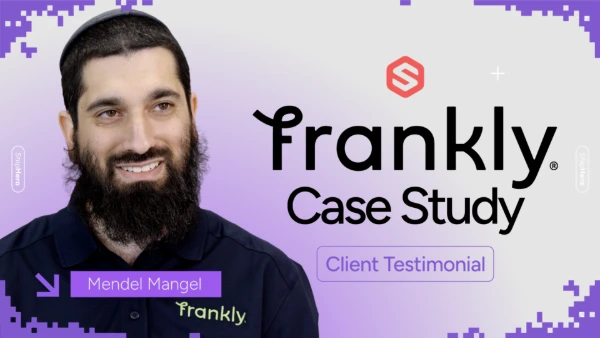
Frankly Fulfillment CEO Mendel Mangel once saw ShipHero as a competitor — until switching changed everything. Zero churn, 25,000 orders/month, and new staff onboarded in minutes. Watch the full story.
.svg)
.webp)
A new ShipHero case study with Mitch Mammoser, COO and Co-Founder of Frost Buddy, exploring how they managed a "rocket ship" growth trajectory to nearly $80 million in sales. Watch to learn why the believe "ShipHero is the Apple of shipping software."
.webp)
Meet the Packer Performance Dashboard, ShipHero’s latest feature that goes beyond simple pack rates. 📦 Tracks key packing events (Tote Scan, Item Scan, Print Label, Order Complete) 📈 Scores efficiency based on expected vs. actual pack time ⚡ Factors in order complexity & shipment type for real-world
.webp)
.svg)
.webp)
.webp)
.webp)
.webp)
.webp)



.svg)



.webp)